
hashtechwave-light
  • AI
  • Computing
  • Mobile
  • Gaming
    • NYT Games
    • Roblox Codes
    • GTA
  • How-To
  • Entertainment
    • Amazon Prime
    • Netflix
  • Gadget
  • News
Saturday, Jan 17, 2026
Notification
Font ResizerAa
HashTechWaveHashTechWave
  • Artificial Intelligence
  • Automobile
  • Computing
  • Entertainment
  • Gadget
  • How-To
  • Gaming
  • Mobile
  • News
Search
  • Artificial Intelligence
  • Automobile
  • Computing
  • Entertainment
  • Gadget
  • How-To
  • Gaming
    • Roblox Codes
    • NYT Games
  • Mobile
  • News
Have an existing account? Sign In
Follow US
© HashTechWave News Network. HashBitStudio Company. All Rights Reserved.
HashTechWave > Blog > How-To > How to Recover Deleted WhatsApp Messages of iOS and Android
How-ToMobile

How to Recover Deleted WhatsApp Messages of iOS and Android

WAMR is a smart app that helps you to recover deleted WhatsApp messages and media instantly without using complex steps.
Syed Safwan Abbas - CEO
Last updated: September 9, 2025 2:27 am
By
Syed Safwan Abbas
Syed Safwan Abbas - CEO
BySyed Safwan Abbas
Tech Editor
Syed Safwan Abbas is a senior full-stack developer and the founder of HashTechWave. With over a decade of hands-on coding experience and a deep interest in...
Follow:
5 Min Read
SHARE

Have you ever missed an important message that someone deleted before you read it? Luckily, there is a reliable way to recover deleted WhatsApp messages easily using the WAMR app which available on both Android and iOS, WAMR captures deleted texts, photos, videos and voice notes by monitoring your notification history.

Contents
  • What is WAMR App?
  • How to Use WAMR to Recover Deleted WhatsApp Messages?
    • 1. Download & Install WAMR
    • 2. Enable Notifications Access
    • 3. Grant Storage Permission
    • 4. Select WhatsApp (or Other Apps)
    • 5. Get Notified & See Deleted Messages
  • Pros and Cons of WAMR
  • Why We Choose WAMR to Recover Deleted Whatsapp Messages
  • Important Tips
  • Privacy and Safety
    • How does WAMR recover deleted WhatsApp messages?
    • Is WAMR safe to use, and does it keep my WhatsApp data private?
    • Can WAMR recover all deleted WhatsApp messages and media?

This powerful app allows you to view and save deleted WhatsApp content without restore backups or reinstall the app. In this article, you will learn how to use WAMR to recover deleted WhatsApp messages, along with key tips to keep your data safe and private.

What is WAMR App?

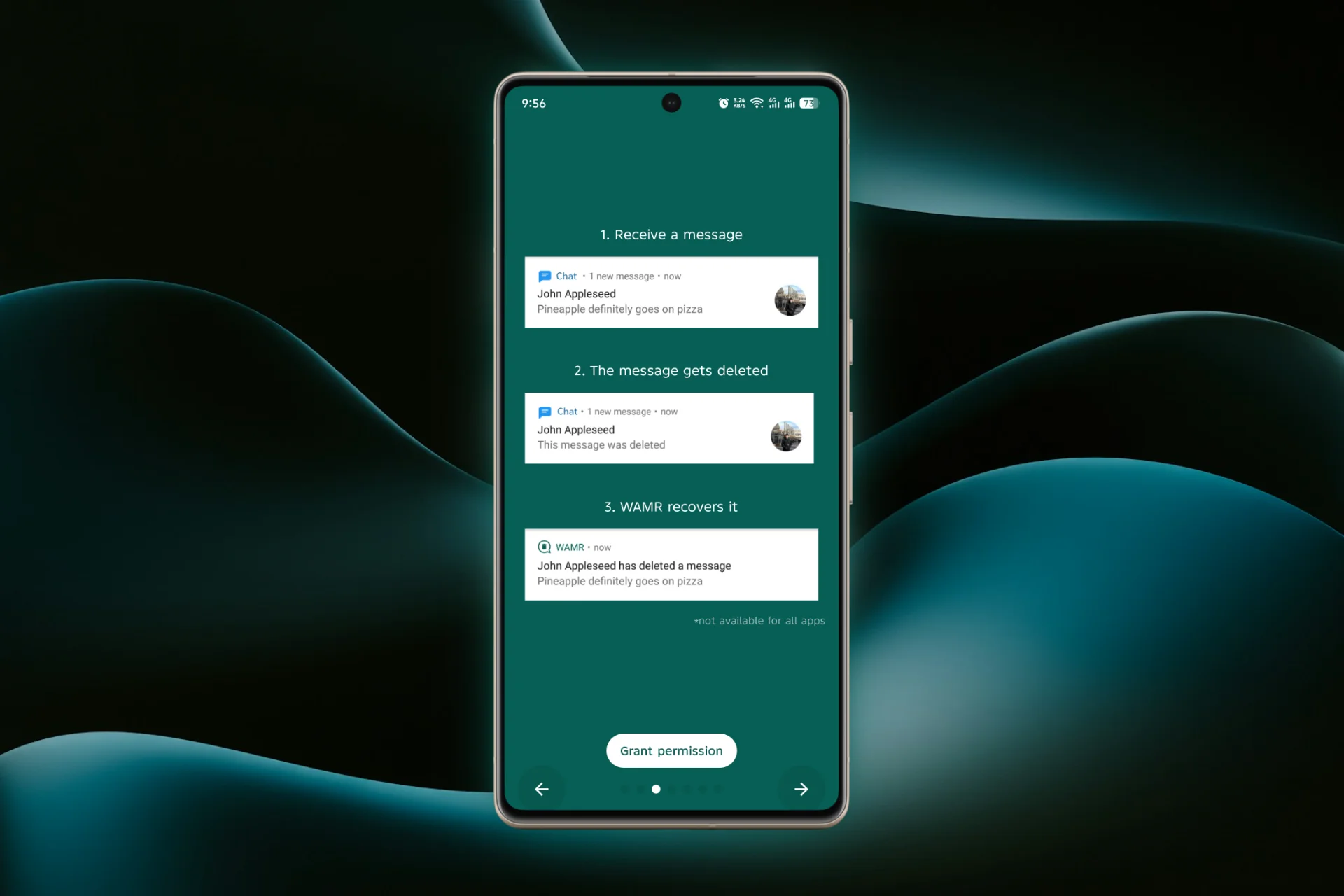
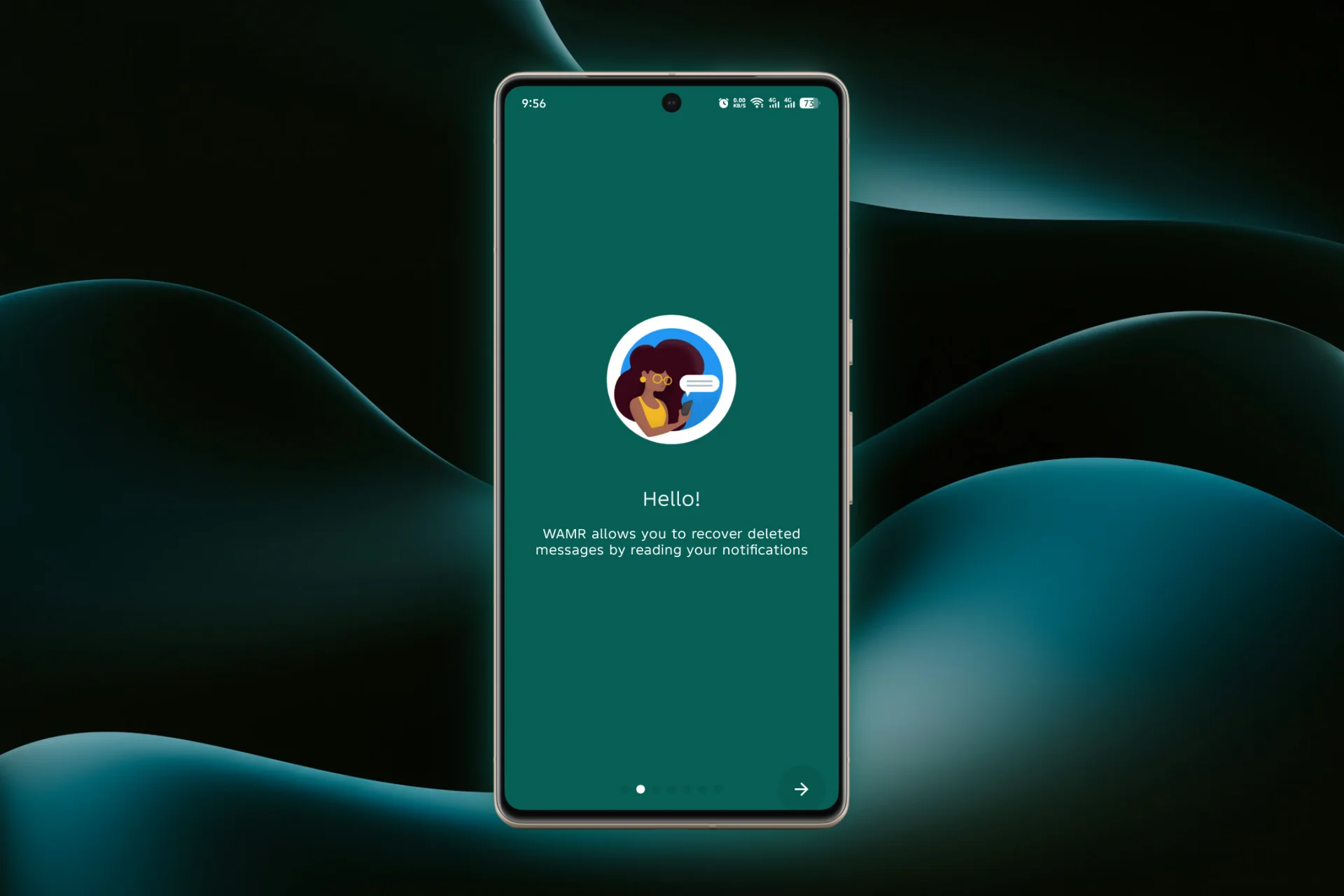
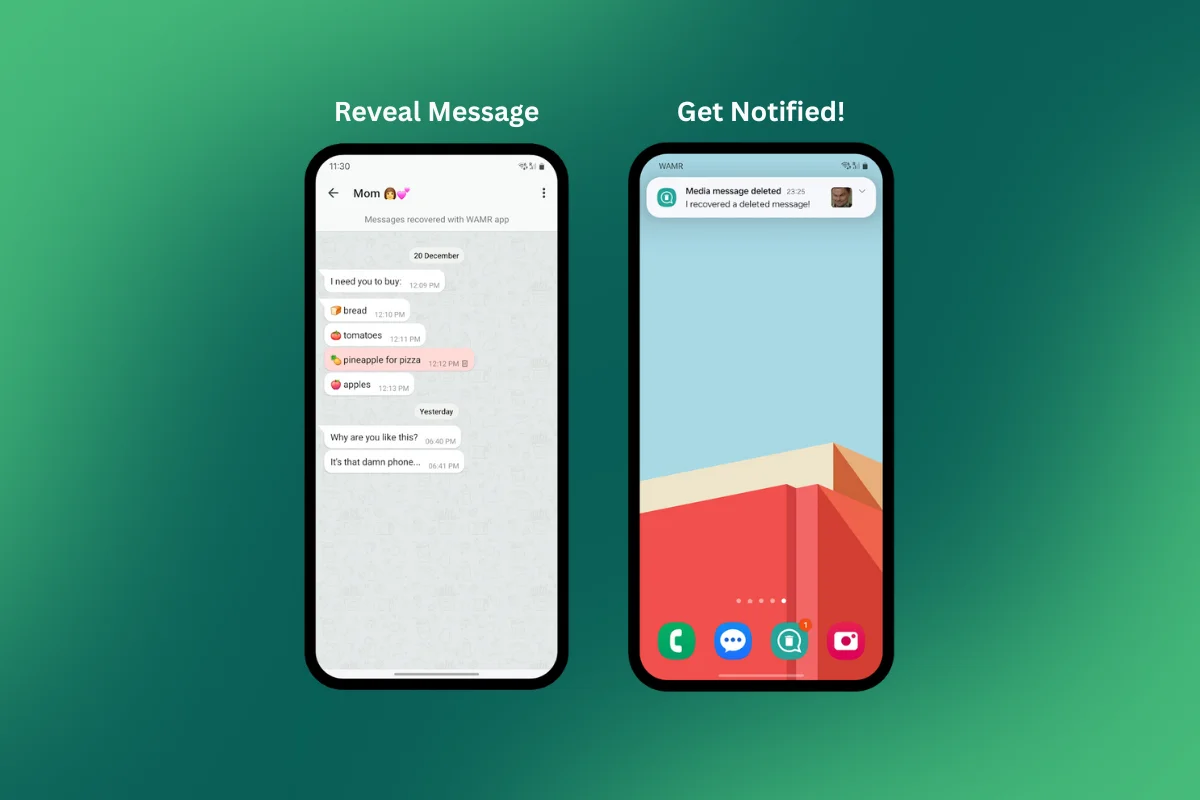
WAMR is a smartphone app by Drilens works by saving your WhatsApp notifications. When someone deletes a message or media, you will get a notification from WAMR showing the deleted content before it disappears permanently. This way, you can always stay updated on what was sent even if it was removed later.
- Advertisement -
What is WAMR
How to Recover Deleted WhatsApp Messages of iOS and Android 8
Get Notified & See Deleted Messages
How to Recover Deleted WhatsApp Messages of iOS and Android 9
Grant Storage Permission to WAMR
How to Recover Deleted WhatsApp Messages of iOS and Android 10
Enable Notifications Access of WAMR
Grant WAMR notification access so it can capture deleted messages.
Privacy and Safety WAMR
Your recovered messages stay private — WAMR doesn’t upload data to servers.

How to Use WAMR to Recover Deleted WhatsApp Messages?

Here are the quick steps to recover deleted WhatsApp messages efficiently:

1. Download & Install WAMR

The WAMR app is available on Google Play Store or Apple App Store.

WAMR app download page on Google Play Store
How to Recover Deleted WhatsApp Messages of iOS and Android 11

2. Enable Notifications Access

WAMR works by monitoring your WhatsApp notifications. Grant the app notification access so it can save deleted messages.

- Advertisement -

3. Grant Storage Permission

Allow storage permission to enable saving of photos, videos, and other deleted media.

4. Select WhatsApp (or Other Apps)

Choose WhatsApp during setup. You can also monitor Telegram, Messenger, Instagram, and more.

- Advertisement -
Select the Required App
How to Recover Deleted WhatsApp Messages of iOS and Android 12

5. Get Notified & See Deleted Messages

After setup, WAMR will automatically notify you whenever a WhatsApp message or media is deleted. Simply open WAMR app to view or save the deleted content.

Pros and Cons of WAMR

ProsCons
Recover deleted texts, images, videos, and voice notesOnly works if notifications were received before deletion
No need for chat backups or reinstalling WhatsAppCan’t restore messages deleted before installing WAMR
Supports multiple apps (WhatsApp, Telegram, Messenger)On iOS, notification capture may be limited
Works quietly in the backgroundMay not save media if download was incomplete

Why We Choose WAMR to Recover Deleted Whatsapp Messages

  • Recover deleted texts, images, videos, voice notes, GIFs and stickers easily.
  • Read deleted messages without sending read receipts (blue ticks).
  • Save deleted WhatsApp statuses (on supported versions).
  • No need to restore chat backups or reinstall WhatsApp.
  • Works quietly in the background to keep your conversation history safe.

Important Tips

  • WAMR depends on your phone’s notification settings, so keep WhatsApp notifications turned on.
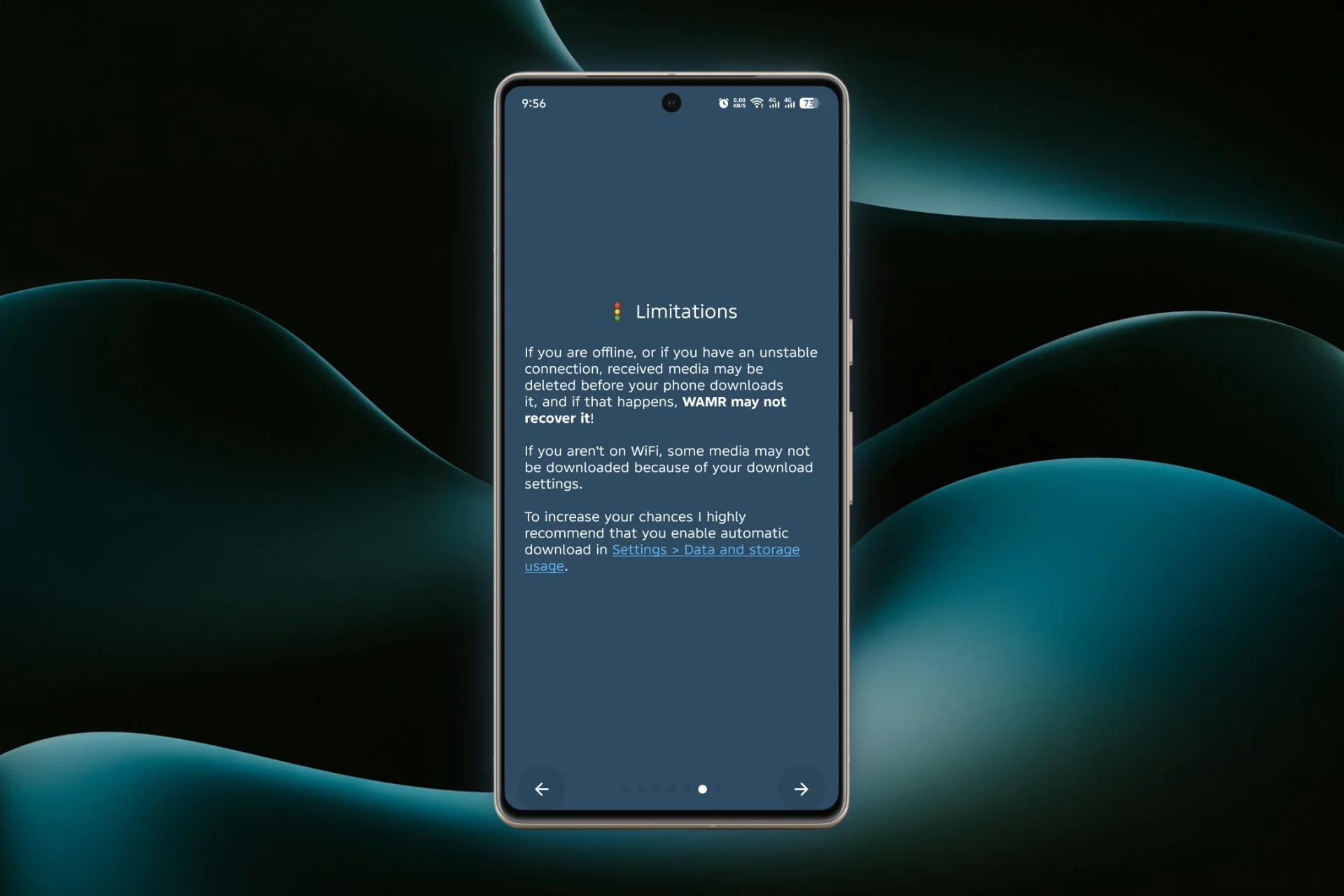
  • The app can only save messages or media that fully arrived as notifications before deletion.
  • Make sure your phone does not close WAMR in the background by disabling battery optimization for the app.

Privacy and Safety

WAMR keeps your data locally on your device and does not store messages on any servers, so your chats remain private. It uses only notifications to recover deleted whatsapp messages, it cannot directly access your WhatsApp chats or backups.

- Advertisement -

Also Read: How to Get 120 FPS in PUBG Mobile Gameloop Emulator

How does WAMR recover deleted WhatsApp messages?

WAMR works by saving notifications from WhatsApp. WAMR retrieves the content from its notification backup, allowing you to see deleted texts, photos, videos and other media instantly.

Is WAMR safe to use, and does it keep my WhatsApp data private?

Yes, WAMR keeps your data locally on your device and does not access WhatsApp servers.

Can WAMR recover all deleted WhatsApp messages and media?

WAMR can recover messages and media only if the notifications for those messages were received and saved before deletion.


TAGGED:WhatsappWhatsapp Guide

Sign Up For Daily Newsletter

Be keep up! Get the latest breaking news delivered straight to your inbox.
Join Newsletter Join on Whatsapp
Syed Safwan Abbas - CEO
BySyed Safwan Abbas
Tech Editor
Follow:
Syed Safwan Abbas is a senior full-stack developer and the founder of HashTechWave. With over a decade of hands-on coding experience and a deep interest in emerging technologies, he leads the platform's coverage of digital trends, smart tools, and developer news. Outside his work, he’s an active tech community contributor and a casual PUBG competitor.
Previous Article Amazon-Backed AI Startup Plans to Recreate Lost Orson Welles Film Amazon-backed AI Startup plans to recreate Welles’ “Ambersons”
Next Article Sam Altman on x states that social media is Becoming fake Sam Altman: Social Media Is Becoming a ‘Fake’ Internet Dominated by AI Bots

Follow US

Find US on Social Medias
FacebookLike
XFollow
YoutubeSubscribe
ThreadsFollow
BlueskyFollow
Popular News
NYT Strands game #684 puzzle - Jan 16, 2026
NYT Strands Hints, Answers and Spangram Today of Jan 16, 2026
Sarah Thompson
By Sarah Thompson
January 16, 2026
Today’s NYT Wordle Hints & Answer of Jan 17 (Solution #1673)
NYT Connections Hints & Answers (#949) for Jan 15, 2026 Solution
NYT Spelling Bee Answers & Pangram For January 16, 2026
Universal Piece Codes (January 2026) – Get Free Gems, Yen & Boosts

You Might Also Like

OpenAI introduces ChatGPT Health
Artificial IntelligenceHow-To

How to Get ChatGPT Health: Waitlist, Privacy Features & Medical Record

By Syed Safwan Abbas
13 Min Read
Cloud Gaming 2025 Guide - hashtechwave
GamingHow-To

Cloud Gaming 2026 Guide: Play AAA PC Games on Android & Low-End Laptops (Free & Paid)

By Raza Zaidi
9 Min Read
iPhone 12 Pro Max
Mobile

Is the iPhone 12 Pro Max Still Worth Buying in 2026? Complete Guide

By Syed Safwan Abbas
10 Min Read
hashtechwave-light

Your trusted source for gaming insights, technology updates, digital trends, and industry news. We deliver helpful guides, reviews, and updates to keep you informed in today’s fast-moving digital world.

Categories

  • Artificial Intelligence
  • Computing
  • Gaming
  • Entertainment
  • Gadget
  • How-To

Quick Links

  • Cookies Policy
  • Disclaimer
  • Privacy Policy
  • Terms and Condition

© 2025 HashTechWave. All rights reserved.

Join Us!
Subscribe to our newsletter and never miss our latest news, podcasts etc..
[fluentform id="6"]
Zero spam, Unsubscribe at any time.
adbanner
hashtechwave mobile
Welcome Back!

Sign in to your account

Username or Email Address
Password

Lost your password?