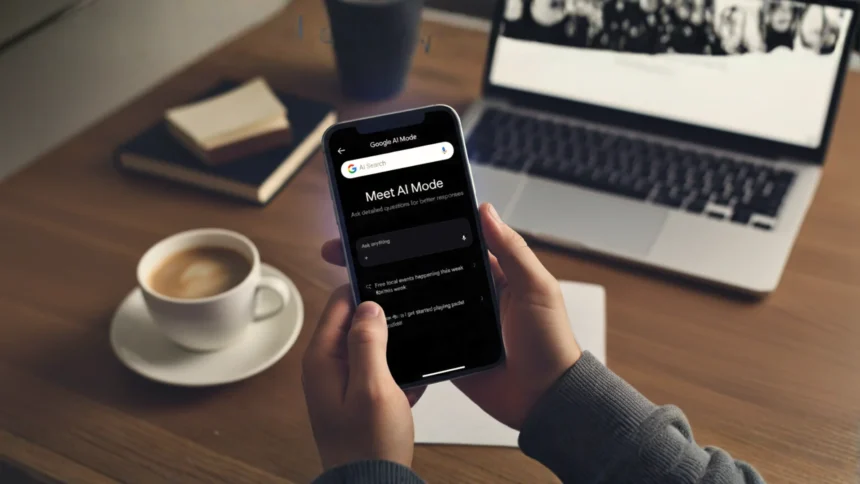

Have you ever imagine booking concert tickets, reserving a restaurant table or even scheduling a haircut without jumping between websites. This is now possible with Google AI Mode. In 2025, Google introduced a new agentic feature, allowing users to book, plan, and organize their lives using a single smart search.
This guide provides a step-by-step walkthrough for those who have access now, and a clear preview for those like users in Pakistan and the UAE who are awaiting its expected global launch.
Also See Recommended article: Why “Google AI Mode” Matters More Than Ever.
What Can You Actually Book with Google AI Mode?
Google AI Mode’s new booking powers currently partner with major platforms to let you:
- Reserve tables at restaurants (thanks to partnerships with OpenTable, Resy and Tock)
- Buy event tickets for concerts, sports, or theater (via Ticketmaster, StubHub, SeatGeek).
- Set up beauty and wellness appointments (using platforms like Booksy)
Note: More services (like local service appointments) are rolling out soon and Google is adding partners over time.
Who Can Use AI Mode for Booking Features?
Right now, Google AI Mode’s booking is available to users in the United States who join Search Labs. It’s expected to launch in more countries soon like Pakistan and UAE. Here’s what you need:
- Personal Google Account
- 18 years or older
- Web & App Activity turned on
- Google Chrome browser or Google app
- Search Labs access (sign up at google.com/search/labs)
There are no charges for using Google AI Mode’s basic features. Some advanced options, like Gemini Ultra, may require a subscription in the future, but booking basic services is free.
How to Book a Restaurant (Step-by-Step for U.S. Users)
If you are in the U.S. and have Search Labs enabled, here is how to use the feature.
1. Access Google AI Mode
- Go to google.com/ai or open the Google app. Ensure you are signed in and have joined Search Labs.
- Set up Search Labs (if prompted).
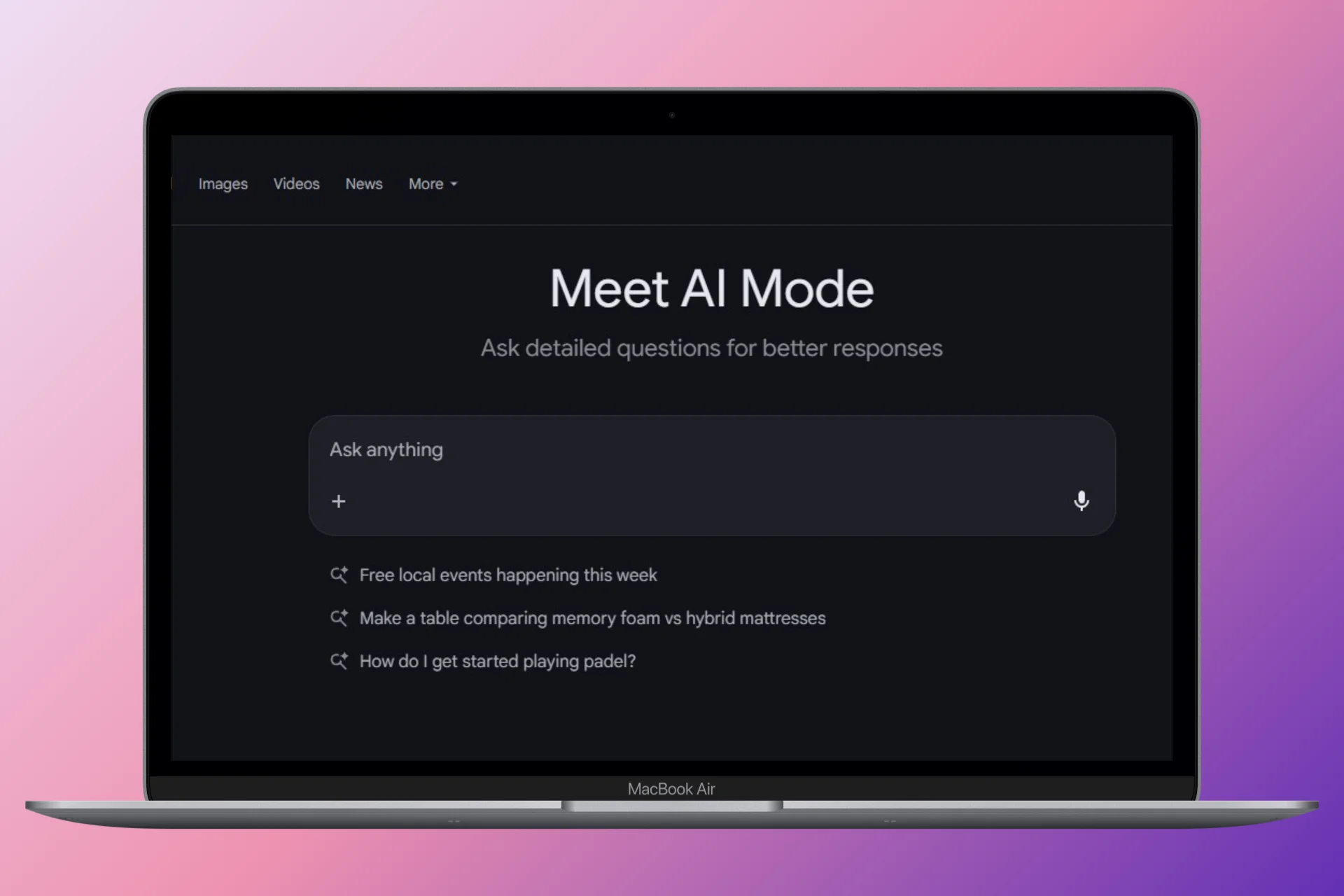
2. Say or Type Your Query
For example: “Find me a dinner reservation for 4 people this Friday at 7pm in Brooklyn. I want Italian food.“
3. Watch AI Mode Work
- AI Mode checks its partners (OpenTable, Resy, Tock) and searches restaurants with open reservations matching your request.
- It considers your preferences, time, cuisine and location.
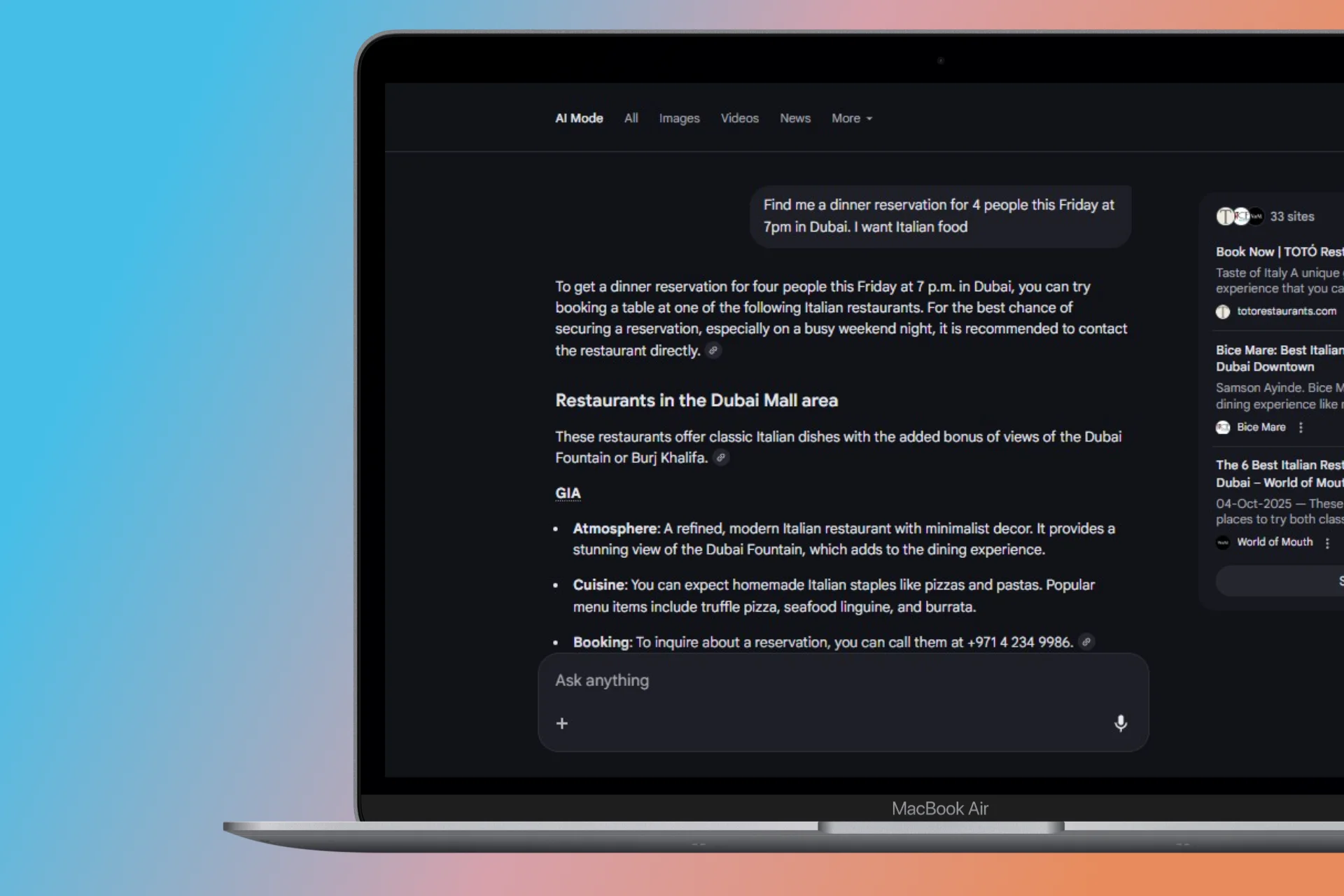
4. Review the Suggestions
Results include a shortlist of restaurants with available time slots and helpful details, like ratings and menus.
5. Complete Your Booking
- Click your chosen time slot. Google links you directly to the partner site to confirm (no manual data entry needed, your details often prefill).
- You’ll usually get a local confirmation email or in-app alert.
How to Book Event Tickets & Appointments (U.S. Users)
The process is similar for other services.
- To Book Event Tickets: Try a query like, “Find me two cheap tickets for the Knicks game next month in New York. Prefer lower-bowl seats.” AI Mode will search Ticketmaster, StubHub and others to compare prices and locations.
- To Book Appointments: Try, “Book me a haircut appointment this Saturday near downtown Austin after 3pm.” The AI will check services like Booksy for local salon openings.
Pro tip: Try a few follow-up refinements! For example, add “under $100” or “with parking included” to get the most relevant results.
For Users in Pakistan & the UAE: How to Prepare for Launch
While the booking feature is expected to launch in countries like Pakistan and the UAE soon, it is not yet active. When it arrives, you will be able to use the same types of powerful, natural language searches.
Here are real-world examples of queries you can expect to use:
Booking Beauty & Wellness Appointments
You can also book beauty services easily. Try a search like:
Book me a haircut appointment this Saturday near me after 3pm.
Google looks up local salons that are on Booksy (and similar services), checks the openings and displays the best matches. You simply pick your slot and confirm just like with restaurant reservations.
But Remember:
- Availability will depend on your location and the current list of participating businesses.
- Features are expanding, expect support for dentists, fitness and more soon!
More Read

Advanced Planning: Using the “Canvas” Feature
A powerful tool included in AI Mode is “Canvas,” a dynamic sidebar to help you organize complex plans visually.
- Start a Project: Click “Create Canvas” or ask AI Mode to “help me plan my Dubai trip.
- Organize with AI Help: AI Mode suggests timelines, checklists, to-dos, and lets you add documents or notes.
- Example Use Case: Planning a study schedule: upload your syllabus, ask AI to break it into weekly tasks, and get a complete visual schedule ready for you.
- Return Anytime: Your Canvas projects are saved. Come back whenever to refine them or add more details.
Canvas turns complicated planning like exam prep or trip organization into an easy and interactive process.
Tip: Always add your city/area in the search for the most relevant matches.
Troubleshooting & Common Issues
What if you can’t access bookings?
- Why can’t I access bookings? You are likely not in the U.S. or not enrolled in Search Labs. This is the most common reason.
- Bookings don’t show up: Even for U.S. users, make sure your “Web & App Activity” is turned on in your Google Account.
- Privacy Worries: AI Mode may use data from Gmail or Maps for recommendations (e.g., restaurants you’ve visited). You can control this in your Google account privacy settings.
Pro Tips for Better Booking Results
- Ask clearly: Mention time, cuisine, location, and group size all together.
- Use natural, conversational phrases.
- Try follow-up questions: “Show me more vegetarian-friendly places.”
- Search off-peak hours for best availability.
- Explore the Canvas feature for multi-step planning (like trips or parties).
Privacy & Personalization: What Google Uses
Google AI Mode may use data from apps like Gmail or Maps to optimize your recommendations (for example, suggesting restaurants you’ve visited before). You are in control: check or change personalization by heading to your Google account privacy settings. Opt out at any time and your bookings will still work but with less personal touch.
Conclusion
Google AI Mode is set to revolutionize daily planning. For users in the U.S., it’s a powerful tool available today. For the rest of the world, including Pakistan and the UAE, it represents the very near future of search.
Who can use the AI Mode booking feature right now?
Currently, the feature is available to users in the United States who join Search Labs. You must also be 18 or older , have a personal Google Account , and have “Web & App Activity” turned on.
I live in Pakistan / UAE. Why can’t I see the booking options?
The feature is currently limited to the U.S. However, Google is expected to launch it in more countries, like Pakistan and the UAE, soon.
What can I actually book with Google AI Mode?
You can use AI Mode to Reserve tables, Buy event tickets and much more that you do manually earlier.