
The Australian government has launched a revolutionary digital solution for Pakistani visa applicants, making the visa application process significantly easier and more accessible. The Australian Immi App is now officially available in Pakistan as of November 2025, allowing eligible applicants to submit their passport details and facial biometrics directly from their smartphones, without visiting biometric collection centres.
What is the Australian Immi App?
Australian Immi App is a free official mobile application developed by the Australian Department of Home Affairs that enables eligible visa applicants to complete critical identity verification steps using their smartphones. This App eliminates the need for in-person visits to Australian Biometric Collection Centres (ABCCs), saving both time and money for thousands of applicants.
Australian High Commissioner to Pakistan, Timothy Kane, announced this significant development on his official X (Twitter) account, stating that the rollout represents “a major step forward in making the Australian visa process easier and more accessible for people in Pakistan“. The app allows travellers, students and skilled workers to provide their identity details securely from anywhere in Pakistan.
Australian Immi App Download
The Australian Immi App is available for free download from both major app stores:
For iPhone and iPad users
- Download the Australian Immi App from Apple App Store
- Requires iOS 16.0 or later
- App size: 238.5 MB
- Current rating: 4.9 out of 5 stars (based on thousands of reviews)
For Android users
- Download from Google Play Store
- Search for “Australian Immi App” by Department of Home Affairs
Note: Be cautious of unofficial apps with similar names. The genuine app is developed and published exclusively by the “Department of Home Affairs” and is completely free with no hidden charges.
Who is Eligible to Use the Australian Immi App?
Not everyone can use the Australian Immi App, applicants must meet specific requirements.
Mandatory Eligibility Criteria:
- Previously provided biometrics: You must have previously submitted your facial image and fingerprints to the Australian Department of Home Affairs at an Australian Biometric Collection Centre.
- Received a biometrics letter: You must have received a “Requirement to provide personal identifiers (biometrics)” letter from the Department.
- Valid VLN number: Your Visa Lodgement Number (VLN) must start with AUI or AUH. Applicants with other VLN prefixes will still need to visit an ABCC in person.
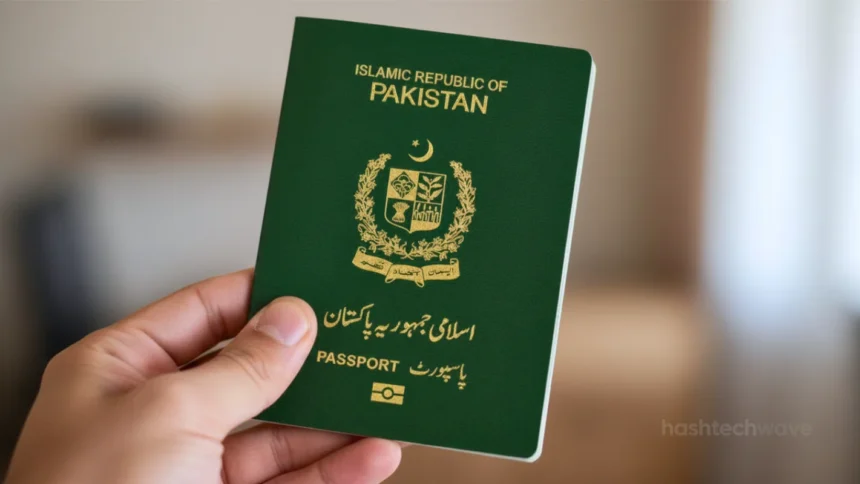
- Valid passport: You must hold a current, valid passport with a readable chip.
Device Requirements for the Australian Immi App:
- Stable mobile data or Wi-Fi internet connection
- NFC (Near-Field Communication) enabled on your device
- Camera access permission granted to the app
- Location services activated
- For iPhone: iOS 16.0 or later
- For Android: Compatible NFC-enabled device
How to Use the Australian Immi App: Step-by-Step Guide
Once you downloaded the app and confirmed your eligibility, follow these five essential steps to complete your identity verification:
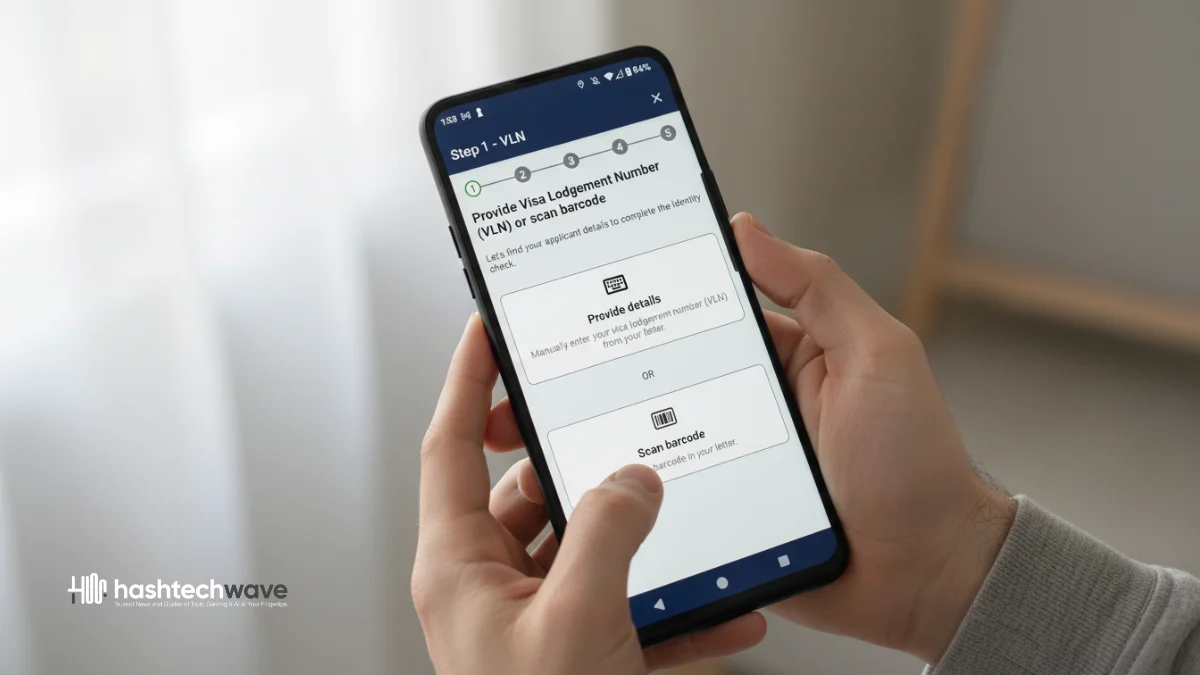
1. Enter Your Visa Lodgement Number (VLN)
Open the app and enter your VLN, which is found on your “Requirement to provide personal identifiers” letter. The VLN starts with AUI and contains a combination of letters and numbers. You can type it manually or scan the QR code from your letter. For multiple family members, each person requires their own separate VLN entry.
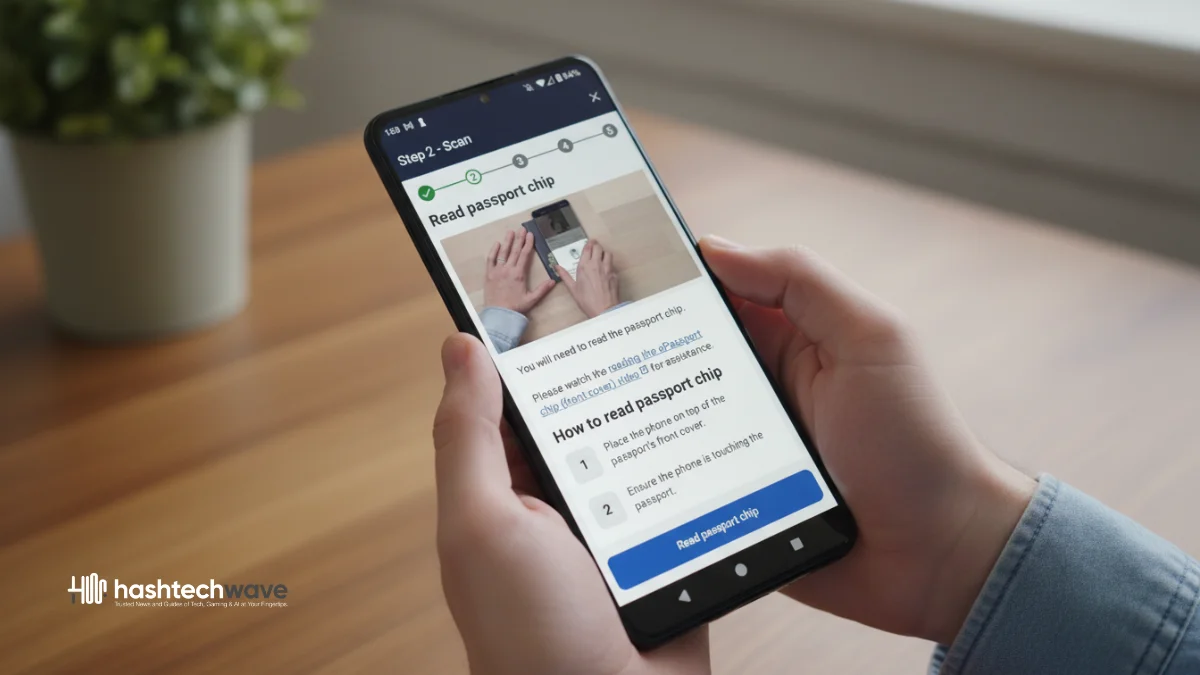
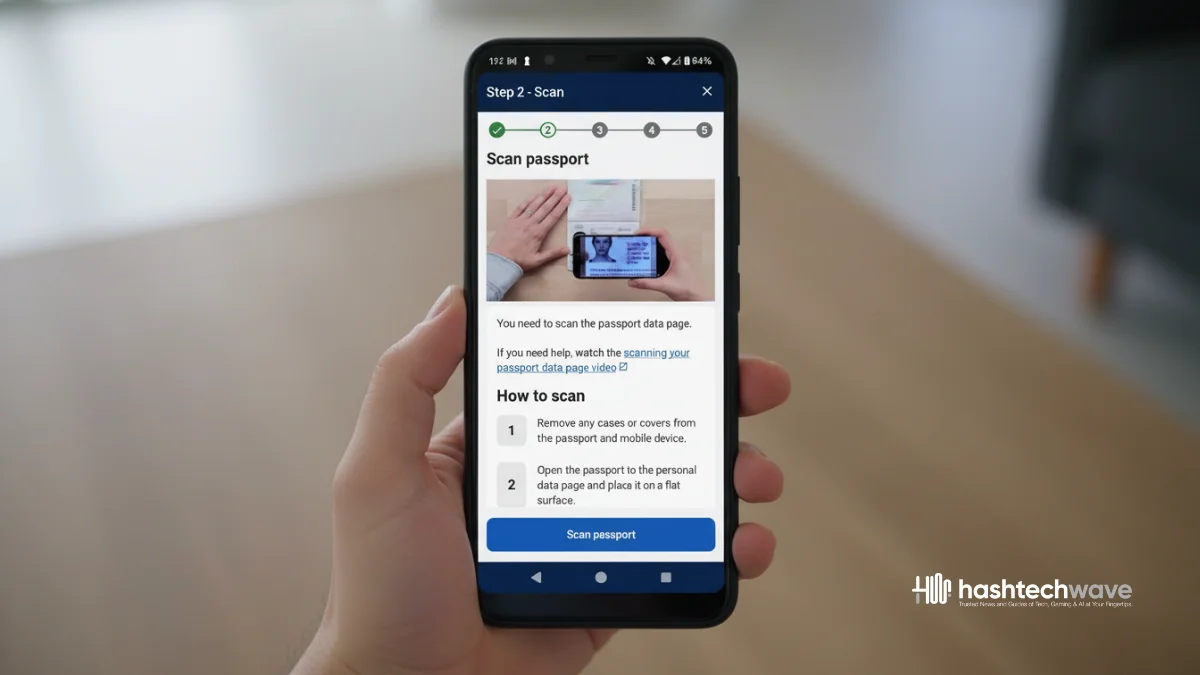
2. Scan Your Passport
The app uses your phone’s camera and NFC technology to read your passport information:
- Remove any case or wallet from your phone
- Open your passport to the personal data page
- Position your phone over the passport
- Ensure the entire page is visible without shadows or glare
- Wait for the red outline to turn green
- The app will then scan the passport’s embedded chip
Pro Tip: Pakistani passports contain a chip symbol on the front or back cover. Place your phone directly on top of this chip area and move slowly until the app recognizes it.
3. Verify Your Passport Information
Review all the scanned information displayed on your screen. Double-check your name, passport number, date of birth and other details match your physical passport. If anything appears incorrect, simply rescan your passport.
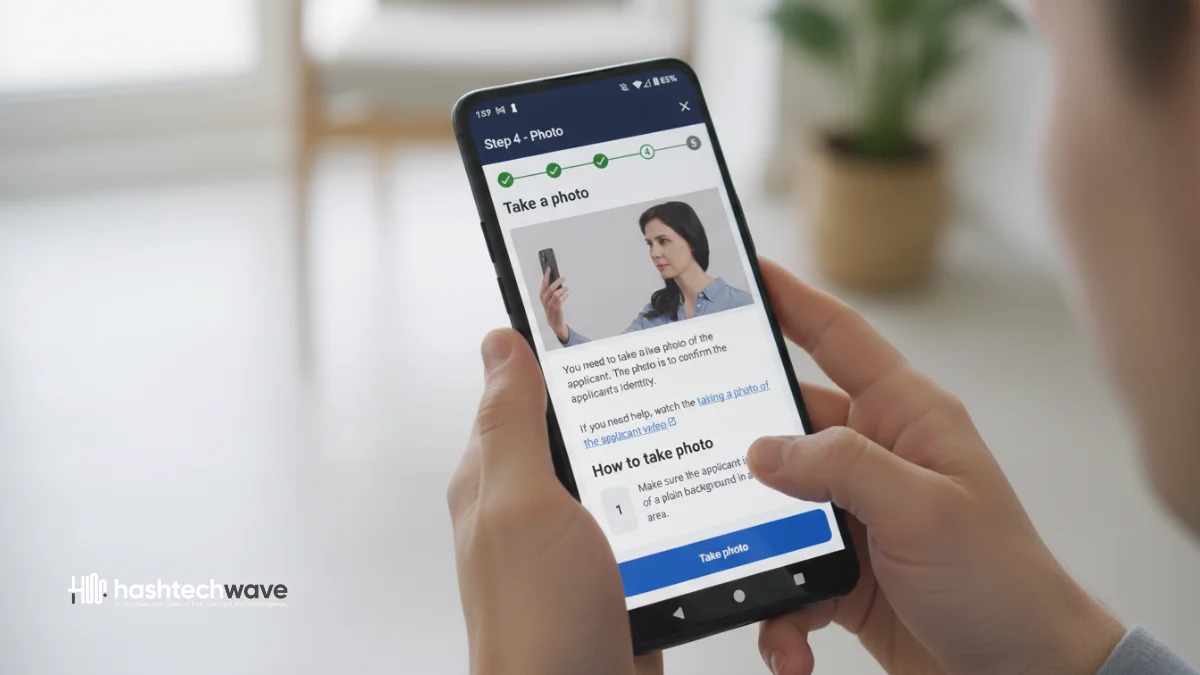
4. Take a Clear Facial Photo
The app will guide you through capturing a live photo for your identity check:
- Stand in front of a plain, light-coloured background
- Ensure good, even lighting (avoid harsh shadows)
- Look directly at the camera
- Remove glasses if possible
- Keep your face clearly visible
- The photo captures automatically when positioning is correct (red oval turns green)
5. Submit Your Identity Check
Optionally provide your email address to receive confirmation, then submit your information. The app will securely transmit your passport details and facial images to the Australian Department of Home Affairs. Your Immi Account will be updated within 24 hours of successful submission.
Privacy and Data Security
Applicants can rest assured that the Australian Immi App prioritizes data security:
- Your personal information is not stored in the app after submission
- Data is transmitted directly to the Department of Home Affairs via secure encrypted channels
- The app complies with Australian Privacy Principles
- If any errors occur during transmission, the app will notify you to recapture the information
Benefits of Using the Australian Immi App
The app offers several significant advantages for Pakistani applicants:
- Time Savings: Submit biometrics instantly without scheduling appointments
- Cost Reduction: Eliminates travel expenses to biometric centres
- Convenience: Complete the process from anywhere in Pakistan
- Faster Processing: Early biometric submission can reduce overall visa processing times
- Free to Use: No charges for downloading or using the app
Australian Biometric Collection Centers in Pakistan
For applicants who are not eligible to use the Australian Immi App (those whose VLN does not start with AUI or AUH), biometric collection centers remain available in three major Pakistani cities:
- Islamabad: 14-B, Sadiq Plaza, G-9 Markaz
- Karachi: 43/1/D, Razi Road, PECHS, Shahrah-e-Faisal
- Lahore: 20, Ex American Centre Building, Opp. Ganga Ram Hospital, Queens Road
Walk-in appointments are now accepted, no prior booking is required. The biometric collection fee at VFS centers is approximately AUD 45 (around PKR 8,000).
Countries Where the Australian Immi App is Available
In November 2025, the Australian Immi App is available in 34 countries worldwide. The app initially launched in September 2024 for Pacific nations including Fiji, Samoa, Tonga and Papua New Guinea. It has since expanded to South Africa, Thailand, Malaysia, Philippines, Singapore, Hong Kong, South Korea and now Pakistan among others. Full global implementation across all remaining countries in Australia’s Biometric Collection Program is scheduled for early 2026.
Types of Australian Visas for Pakistani Applicants
Pakistani citizens commonly apply for these Australian visa categories:
- Student Visa (Subclass 500): For full-time study at CRICOS-registered institutions. Application fee: AUD 1,600
- Visitor Visa (Subclass 600): For tourism, business visits, or family visits. Application fee: AUD 190
- Skilled Nominated Visa (Subclass 190): For skilled workers nominated by state or territory governments. Application fee: AUD 4,640+
- Temporary Skill Shortage Visa (Subclass 482): For skilled workers sponsored by Australian employers. Application fee: AUD 1,330–2,770
- Working Holiday Visa (Subclass 462): For young people aged 18-30 from eligible countries
Common Issues and Solutions
Users may encounter these common challenges when using the Australian Immi App:
1. Photo Quality Issues
- Improving lighting conditions
- Using a plain white or light background
- Removing glasses
- Avoiding makeup that alters facial features
- Ensuring the camera lens is clean
2. Passport Chip Reading Problems
- Enable NFC in your phone settings before opening the app
- Try different phone positions on the passport
- Use a phone with confirmed NFC functionality
- Remove any phone case that might interfere with NFC
3. Connection Errors
- Ensure stable internet connection (Wi-Fi recommended)
- Close other apps running in the background
- Restart the app and try again
Note: If problems persist after multiple attempts, you may need to visit an Australian Biometric Collection Centre in person.
Creating an Immi Account
Before using the Australian Immi App, you need an active Immi Account with the Department of Home Affairs:
- Visit the official website: immi.homeaffairs.gov.au
- Click “Create ImmiAccount”
- Enter your email address and verify with the code sent
- Provide personal details (name, contact information)
- Create a secure username and password (minimum 14 characters)
- Set up Multi-Factor Authentication using an authenticator app
- Accept terms and conditions
Your Immi Account allows you to lodge visa applications, upload documents, make payments and track application progress.

Australian Visa Processing Times for Pakistan (2025)
Processing times vary depending on visa type:
| Visa Type | 75% Processed In | 90% Processed In |
|---|---|---|
| Visitor (Tourist) | 48 hours–20 days | Varies by season |
| Student (Higher Education) | 43 days | 6 months |
| Skilled Independent (189) | 7 months | 16 months |
| Partner (820/309) | 21 months | 34 months |
Using the Australian Immi App for biometric submission can potentially help reduce these timeframes by allowing early completion of identity verification.
Future of Australian Digital Visa Services
The Australian Department of Home Affairs continues to modernize its visa services globally. With their New App they have already proven success across the Pacific and Asian region with nearly 30,000 users since its initial launch on September 2024. Over half of all users submit their details within two days of receiving their invitation to use the app.
The final global implementation covering all remaining countries in Australia’s Biometric Collection Program is scheduled for completion in early 2026, bringing this convenient digital solution to visa applicants worldwide.
Also See Top Stories: