
Android is rolling out their quarterly “balance patch” for your phone’s OS. For mobile gamers, it can quietly decide whether ranked matches feel smooth or stuttery. Instead of listing dry changelogs, this HashTechWave guide looks at the Android 16 QPR2 update exactly how a gamer would: Will my games run better, hotter or longer. and should I update today or wait?
Quick overview for busy gamers
- Who it’s for: Pixel and modern Android users already on Android 16 who play competitive or graphics‑heavy games.
- Biggest wins: Smoother frame pacing, better HDR brightness outdoors, more stable multitasking and up‑to‑date security.
- Biggest risk: A few niche titles, emulators, or mods might need time to optimize for the new build.
Treat Android 16 QPR2 like a major patch day in an online game: the core stays familiar, but the meta shifts because performance and stability rules get rewritten under the hood.
HashTechWave
What Android 16 QPR2 actually changes
In technical terms, QPR2 refines how Android 16 handles graphics, background tasks and security. In practical gamer language, that means:
- Fewer micro‑stutters during intense fights or fast camera pans.
- More consistent brightness and HDR when gaming outside or near windows.
- More reliable Wi‑Fi/Bluetooth, so your controller and earbuds disconnect less.
- Lower chance of random app kills when you alt‑tab to Discord or WhatsApp mid‑match.
You may not see a huge jump in FPS numbers, but you often feel a difference in consistency and responsiveness.
Also Read: PUBG Mobile Audio Switches to Phone Speaker When Mic is On (Android Fix)
Who should update now vs wait?
| Gamer type | Recommended action | Reasoning |
|---|---|---|
| Ranked/competitive players | Update within a few days | Stability + security outweigh the small risk of new bugs. |
| Casual players on stock Android | Update whenever convenient | Gains are nice but not urgent; no heavy custom tweaks to break. |
| Emulator / mod enthusiasts | Wait 1–2 weeks and watch feedback | Tools and mods may need compatibility fixes. |
| Streamers/content creators on phone | Update, but test before going live | Better multitasking and stability, but verify your recording/streaming apps. |
Why Android 16 QPR2 matters to mobile gamers
1. Frame pacing and animation smoothness
Instead of “raw FPS”, the update mostly improves how frames are delivered:
- Menus and in‑game transitions feel less jittery, especially on high refresh‑rate screens.
- Long sessions in battle royale games show fewer sudden drops when many players, smoke and explosions are on screen.
For gamers, that consistency is the difference between easily tracking targets and fighting against your own display.

2. HDR brightness and outdoor visibility
Android 16 QPR2 adjusts HDR brightness and tone‑mapping, which helps if you often game outdoors or near bright lights:
- Dark areas remain visible without blowing out bright UI elements.
- Aim‑tracking in harsh light becomes less frustrating because silhouettes and enemy outlines stay distinguishable.
Note: If your phone supports “extra brightness” or “high brightness mode”, turning it on after QPR2 usually feels less washed out than before.
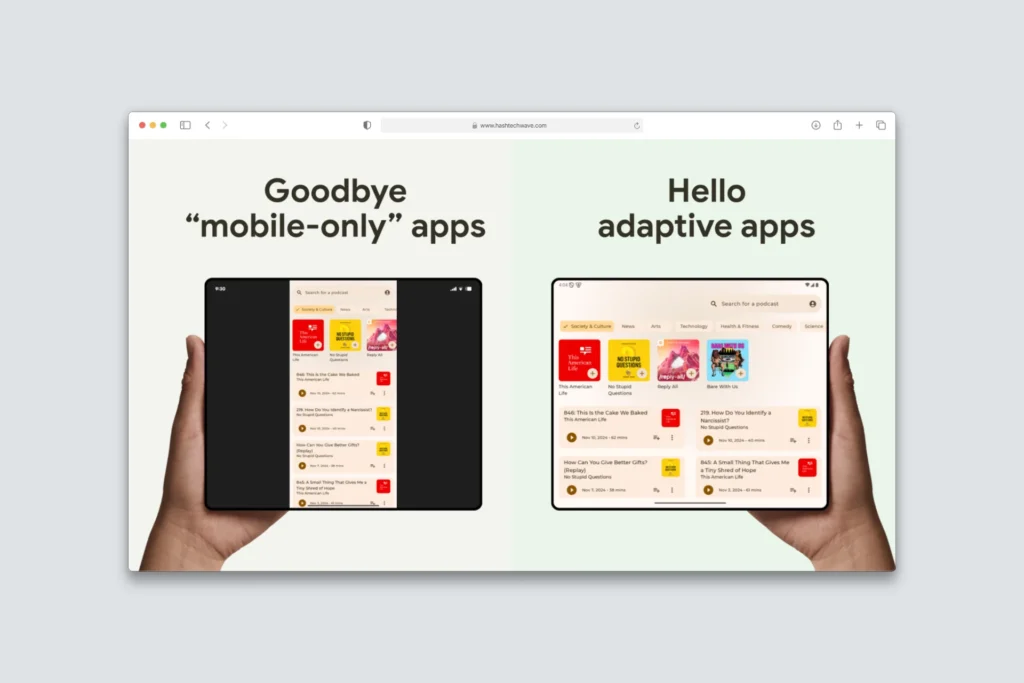
3. Multitasking for chat, guides and recording
Gamers rarely run just one app:
- Split‑screen and picture‑in‑picture are more reliable, making it easier to run Discord voice chat + game, or YouTube guide + game.
- Switching between game and screen recorder/clip editor is less likely to cause hard stutters or crashes.
This is especially important if you record shorts or reels directly from your phone after each clutch play.
How to prepare your phone before updating
- Backup first:
- Sync photos and important files to cloud.
- Ensure games with cloud save (Google Play Games, in‑game accounts) are properly linked.
- Free space & charge:
- Keep at least 10–15% storage free.
- Battery should be 50%+ or plugged in; interruptions can brick the install.
- Update route:
- Go to Settings → System → System update.
- Download over fast Wi‑Fi and avoid heavy gaming during download/installation.
Best gaming settings after installing Android 16 QPR2
System‑level tweaks
- Lock display to the highest refresh rate when playing competitive shooters; drop a step for long RPG sessions to save battery.
- Turn on any Game Mode / Performance Mode your OEM offers, which usually prioritizes CPU/GPU and limits background processes.
- Use Do Not Disturb with a custom rule that only allows important calls; notifications cost both frames and focus.
In‑game settings (general guidance)
- On mid‑range phones, pick Medium graphics + High frame rate instead of Ultra graphics with capped FPS.
- Disable or reduce: motion blur, volumetric fog, very high shadows, and crowd effects.
- Lock gyro or sensitivity again after the update; sometimes patches subtly alter input feel.
What if gaming feels worse after the update?
Even the best patches have edge‑case bugs. If your favorite game suddenly lags:
Always test performance in a controlled way with same map, same graphics preset, same network conditions before blaming the update. That gives you real data instead of just vibes.
Then:
- Update the game itself from Play Store; many devs push hotfixes tuned for new Android builds.
- Clear cache (not data) for the affected game and reboot.
- Lower graphics one level and watch if thermal throttling improves during 15–20 minute sessions.
Note: Only consider rollback or service‑center help if crashes are severe and persist across multiple games.
What is Android 16 QPR2?
Android 16 QPR2 is a quarterly refinement of Android 16 that adds small features, optimizations and a new security patch for supported phones.
Is Android 16 QPR2 good for gaming?
Yes, it focuses on smoother performance, fewer micro‑stutters and better stability, which helps most popular mobile games feel more consistent.
Will Android 16 QPR2 improve battery life?
Some under‑the‑hood changes reduce background work and jank, so many users see slightly better battery life in day‑to‑day use.
Should I update to Android 16 QPR2 right away?
Most stock users and gamers should update for the stability and security benefits, while people using mods or emulators may want to wait a few days and read early feedback.