hashtechwave-light
  • AI
  • Computing
  • Mobile
  • Gaming
    • NYT Games
    • Roblox Codes
    • GTA
  • How-To
  • Entertainment
    • Amazon Prime
    • Netflix
  • Gadget
  • News
Saturday, Jan 17, 2026
Notification
Font ResizerAa
HashTechWaveHashTechWave
  • Artificial Intelligence
  • Automobile
  • Computing
  • Entertainment
  • Gadget
  • How-To
  • Gaming
  • Mobile
  • News
Search
  • Artificial Intelligence
  • Automobile
  • Computing
  • Entertainment
  • Gadget
  • How-To
  • Gaming
    • Roblox Codes
    • NYT Games
  • Mobile
  • News
Have an existing account? Sign In
Follow US
© HashTechWave News Network. HashBitStudio Company. All Rights Reserved.
HashTechWave > Blog > How-To > Know-How On MSI Raider 18 HX Insider Secret Tips & Tutorial
How-ToComputing

Know-How On MSI Raider 18 HX Insider Secret Tips & Tutorial

Syed Safwan Abbas - CEO
Last updated: November 14, 2024 3:22 am
By
Syed Safwan Abbas
Syed Safwan Abbas - CEO
BySyed Safwan Abbas
Tech Editor
Syed Safwan Abbas is a senior full-stack developer and the founder of HashTechWave. With over a decade of hands-on coding experience and a deep interest in...
Follow:
9 Min Read
SHARE

MSI Raider 18 HX is a high-performing laptop packed with features that are designed for gamers and creators. This guide will help you explore essential functionalities such as security measures, keyboard customization, performance tweaks and more, so you can make the most of this device.

Contents
  • Hidden Features In Ports of MSI Raider 18
    • 1. Charging By Thunderbold 4
    • 2. Kensington Lock Slot
  • Power and Graphics Indicator Lights
  • Customizing the RGB Keyboard and Lights
    • Useful SteelSeries Keyboard Shortcuts
  • Enhance Security with Fingerprint Scanner
  • Optimizing Performance with MSI Center and GPU Profiles
  • Maximizing Power with Overclocking and MSI OverBoost
    • Ray Tracing and DLSS 3.5
  • Exploring MSI AI Artist and AI Engine
  • Concluding Our Comprehensive Guide

Editor Recommedation: MSI Raider 18 HX A14V Ultimate Power Review & 18″ 4K Display

Hidden Features In Ports of MSI Raider 18

As discussed earlier in MSI Raider 18 HX review, we have already explained about ports distribution and there are some features that are known but never utilized for the reason they are actually made up of:

- Advertisement -

1. Charging By Thunderbold 4

Raider 18 includes three I/O ports and an audio jack where one Thunderbolt 4 PD 3.1 port supports charging up to 140W by allowing you to charge while connecting high-speed devices.

2. Kensington Lock Slot
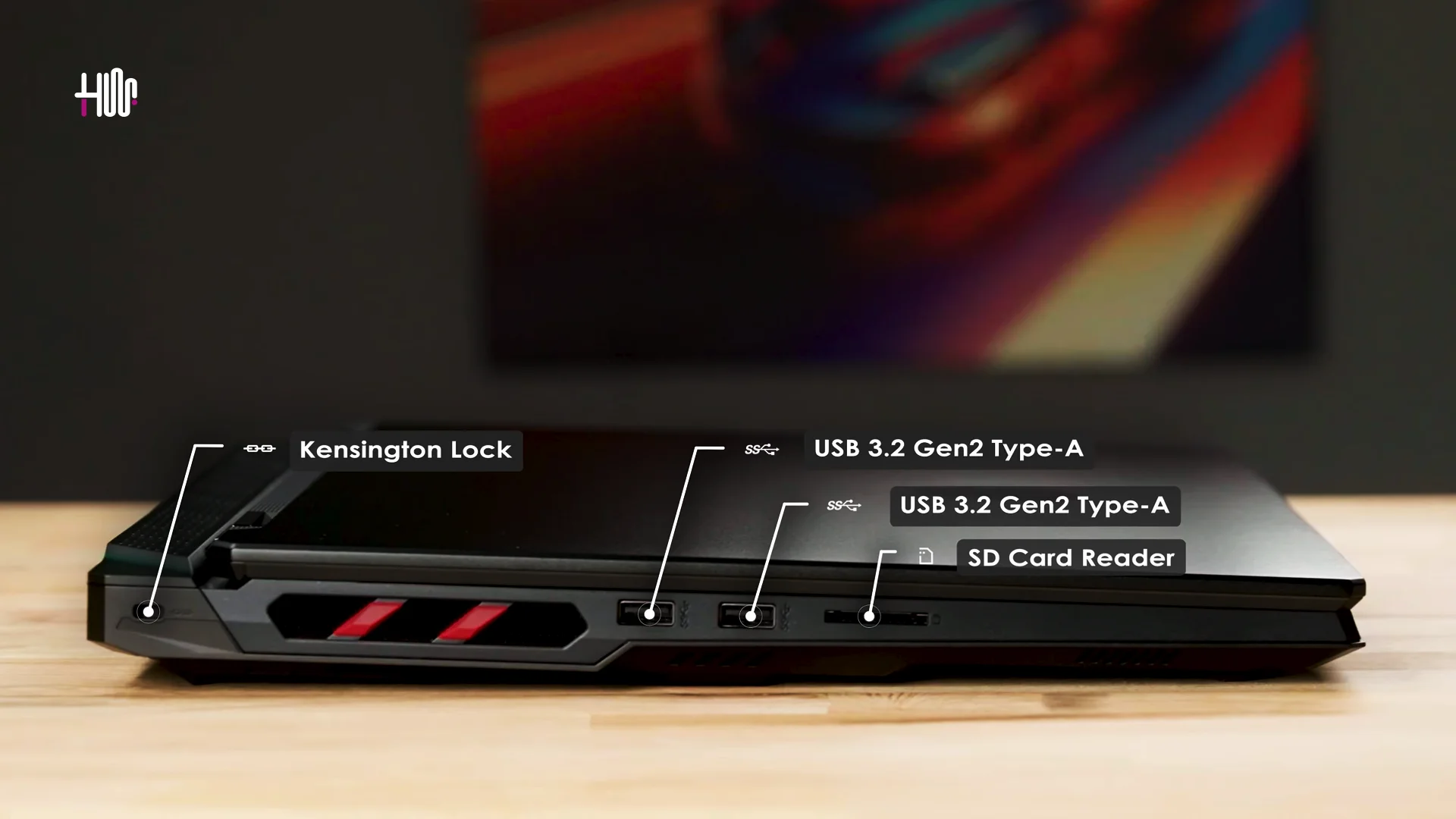
MSI Raider 18 Kensington Lock - Hashtechwave
Image: hashtechwave

On left side of this MSI laptop, you will see a lock which is usually neglected by many of users but don’t worry. Here is the use case that will make you understand importance of Kensington Lock.

How to use Kensington Lock

It is a small lock on the laptop chassis which is used to connect the Kensington cable lock into the slot, then wrap the cable around a secure, stationary object (like a table leg). Once locked, it prevents the laptop from being moved or stolen.

- Advertisement -
Credits: At Tech (Youtube)

Where To Buy Kensington Lock

This lock is available at most electronics shop or at online stores like Amazon. Many techie techs use these locks with security cables and cable anchors for added protection by making it a trusted solution for physical security.

3. Disabling Shipping Mode:

A dedicated DC input allows you to turn on the laptop for the first time and disengage MSI’s shipping mode.

- Advertisement -

4. Enhanced Privacy with Webcam Shutter

A practical feature for privacy-conscious users, the webcam shutter blocks the camera when not in use, providing peace of mind against unauthorized access. Most of the times, hacker can breach your security and capture scenes from your laptop and can utilize it for illegal works.

Power and Graphics Indicator Lights

Talking about some lights indications in MSI Laptops but this time MSI Raider 18 HX, when you press power button, you will observe some led light indications which tells some interesting facts about Graphics Card:

- Advertisement -
msi raider 18 hx Led lights indications - hashtechwave
Image Credits: MSI
  • White Light: Indicates the integrated graphics card is active, ideal for battery-saving tasks.
  • Orange Light: Signals that the discrete NVIDIA GeForce RTX 4090 is in use, ready for intensive gaming or graphics tasks.

Customizing the RGB Keyboard and Lights
msi raider 18 hx full size keyboard
Image Credits: MSI

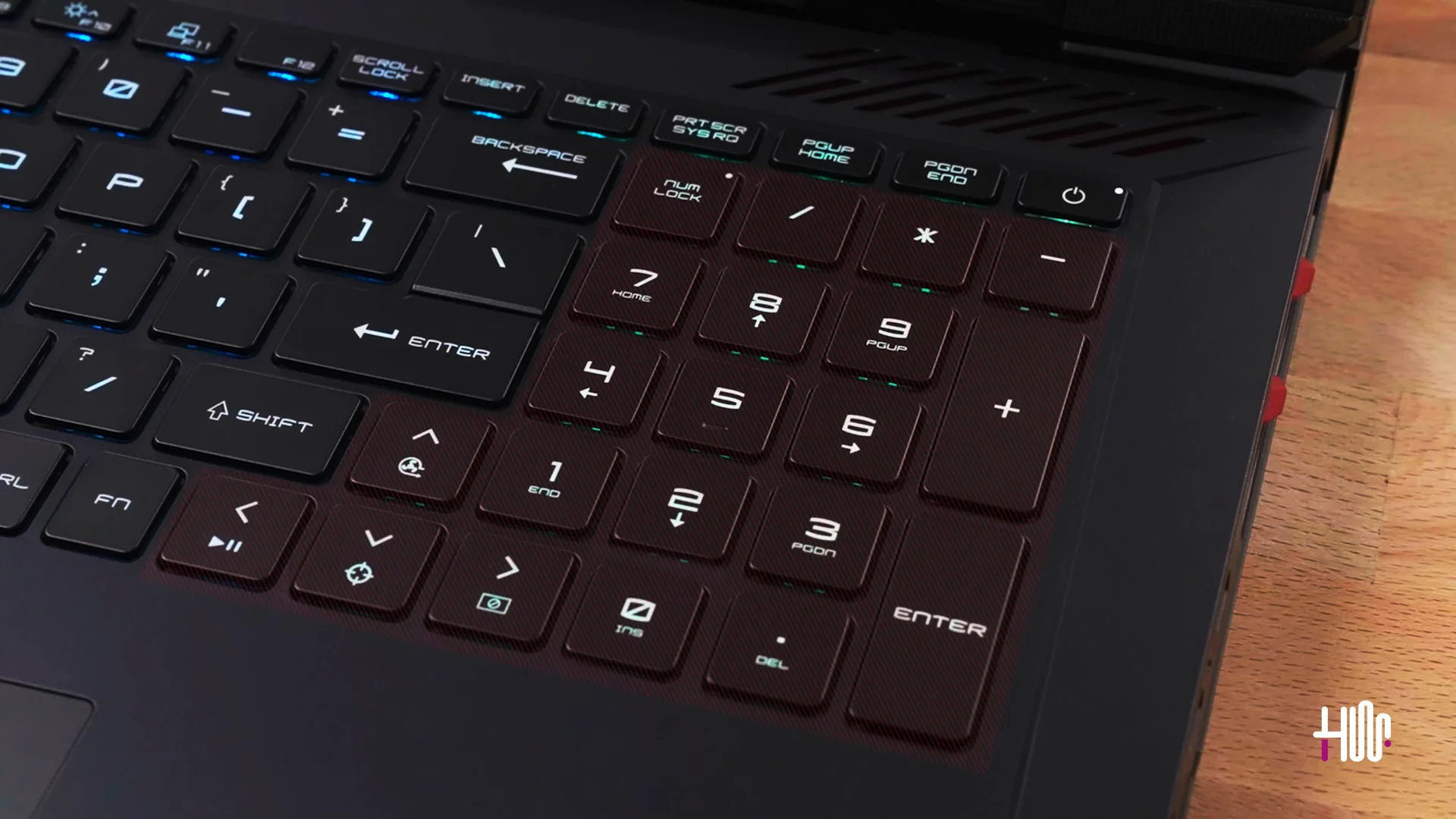
MSI Raider 18 HX A14V comes with a per-key RGB keyboard and this time you get 65% enlargement in keys by SteelSeries that let you fully customize ligthing up to 16 million colors option. Here is how you can do it:
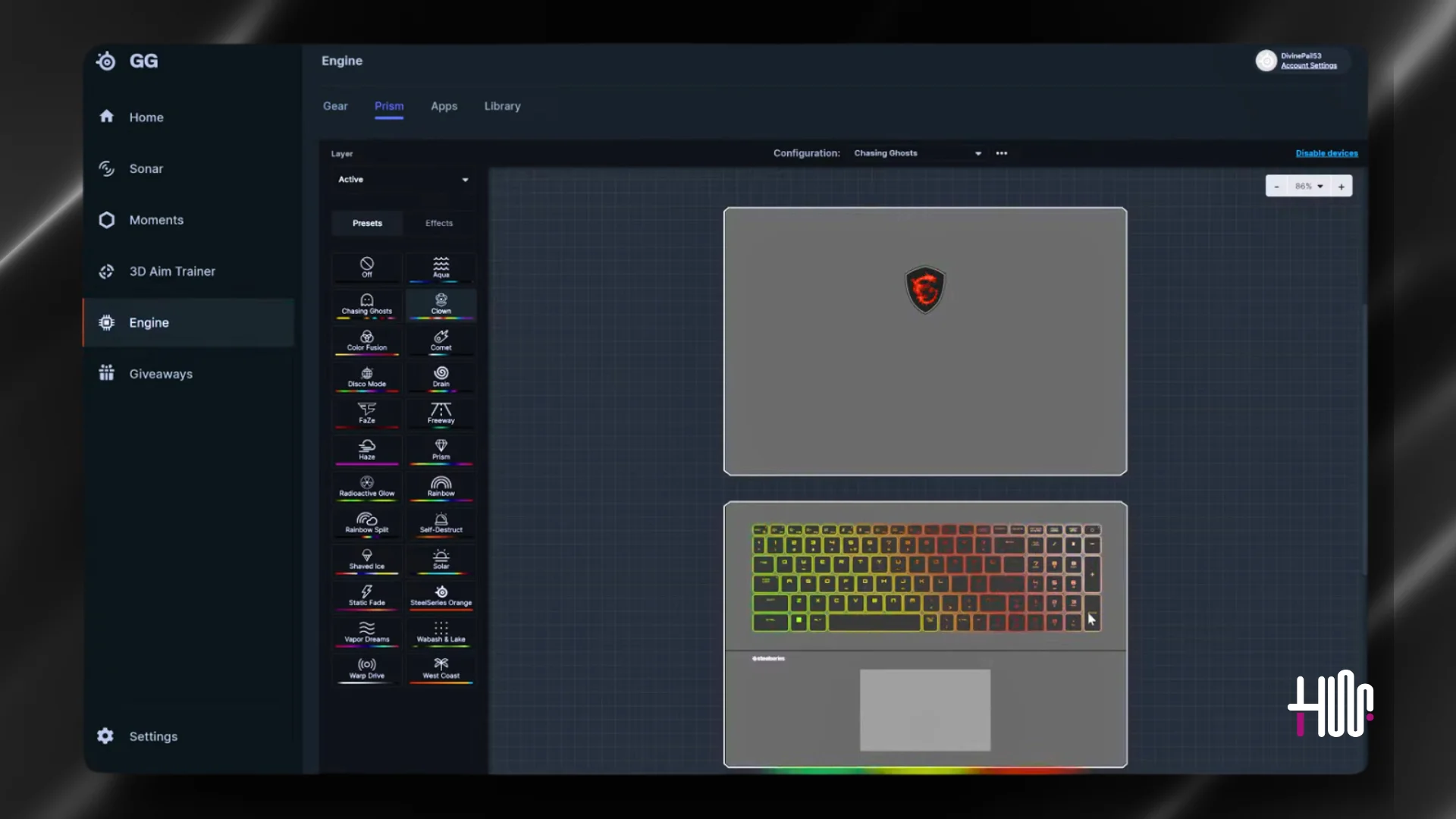
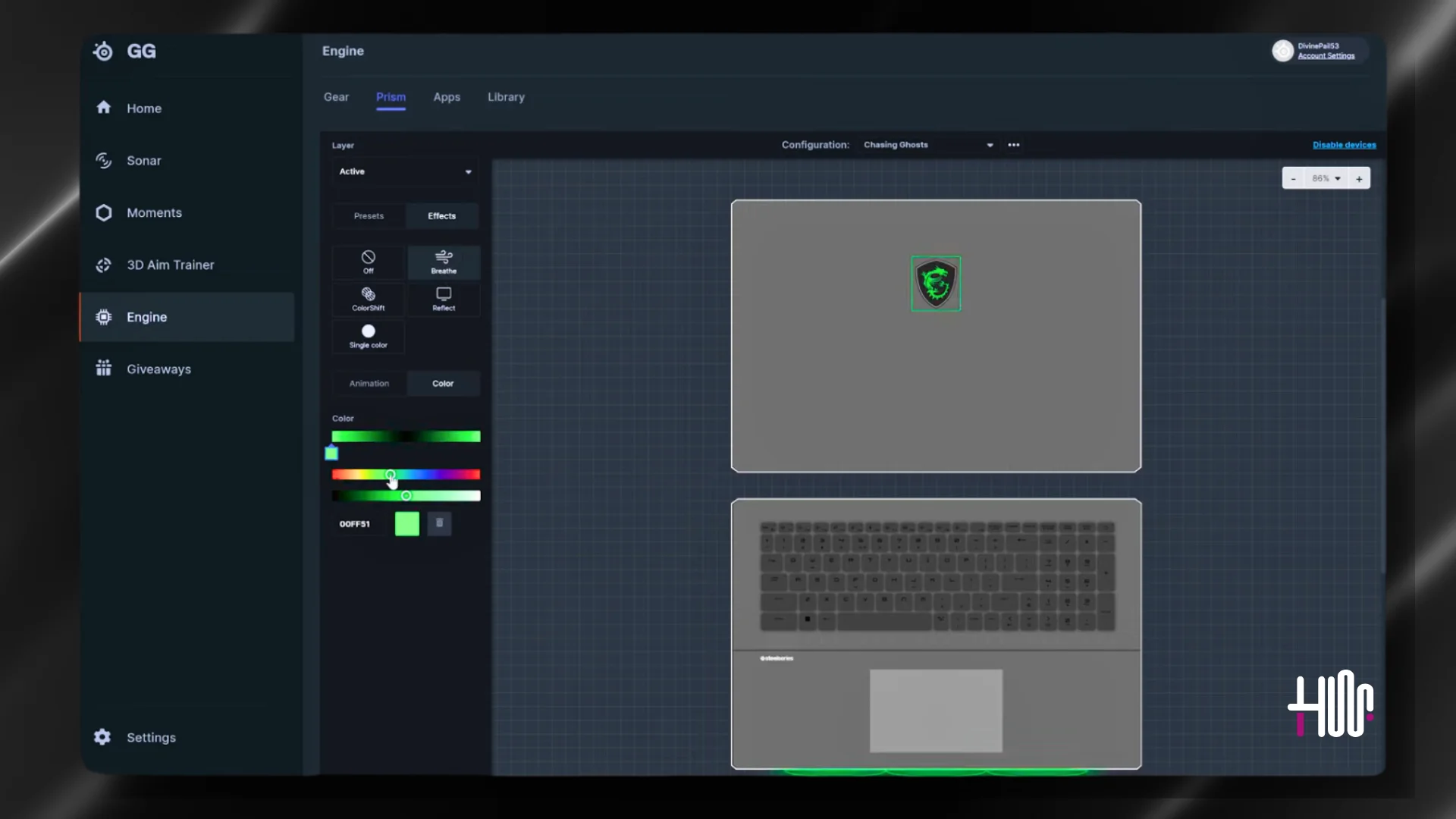
  • Step 1: Download and Install SteelSeries GG latest software.
  • Step 2: Access Engine for keyboard customizations where you can Adjust key colors, brightness, and effects to create your desired look.
msi raider 18 hx keyboard light change using steelseries hashtechwave
Image Credits: MSI (Changing Keyboard Colors)
  • Step 3: You can also customize the matrix light bar and MSI logo on the laptop’s lid for a complete RGB experience. You can select the area which you want to personalize using your mouse and after selection, apply it to see changes.
msi raider 18 hx logo and mystic bar light change using steelseries - hashtechwave
Image Credits: MSI (Changing Logo and Bar Colors in MSI Raider 18 HX)

Apart from customizations in Keyboard, there are function keys that are present in every laptop but wait! What’s new in these F1-F12 function keys? Basically MSI Raider 18 HX provides you some extra functionalities that can be accessed by pressing Fn+Esc, that will enable secondary functionalities of F1-F12 Keys.

Note: By Default Function keys are in standard mode and LED light on ESC key is off, but when you press Fn+Esc, then you can change the mode of function keys.

Useful SteelSeries Keyboard Shortcuts

Enhance your laptop experience with these shortcuts:

  • Fn + Arrow Up: Control fan speed.
  • Fn + Arrow Down: Activate a crosshair for gaming.
  • Fn + Arrow Right/Left: Toggle quick settings for performance.

Enhance Security with Fingerprint Scanner
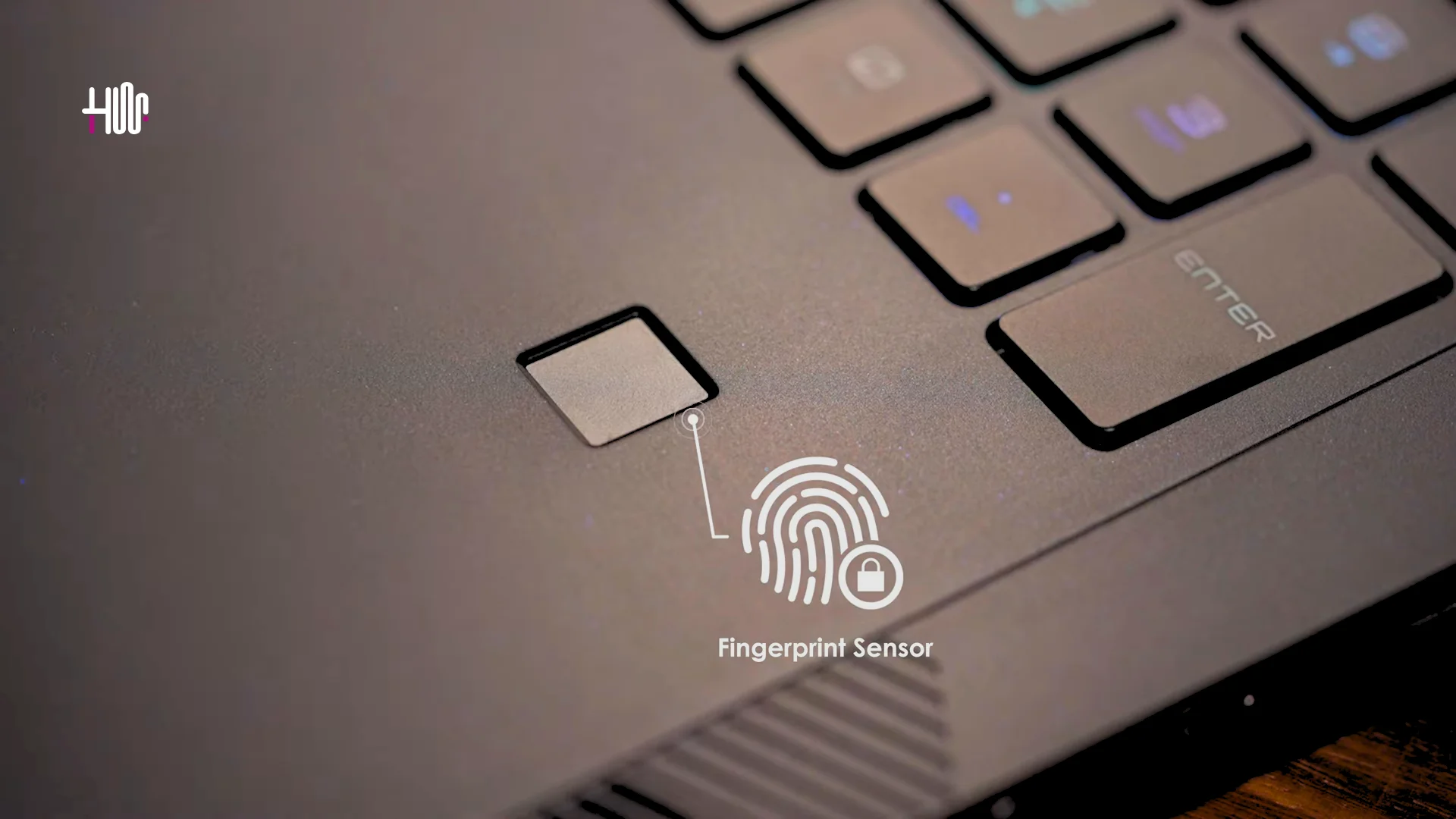
msi raider 18 hx fingerprint scanner - hashtechwave
MSI Raider 18 HX

Fingerprint scanner provides you a very fast and secure login along with payment authentication system by adding a layer of security and convenience to your experience. To setup fingerprint recognition, you have to follow below steps:

  • Search “Fingerprint” in Microsoft Windows 10, 11 search bar
  • You will see Sign-in options, from there you can add your fingerprints for secure logins.

Optimizing Performance with MSI Center and GPU Profiles

MSI Center enables easy access to manage performance profiles and GPU settings. Here is how you can optimize your MSI Raider 18 HX Laptop performance:
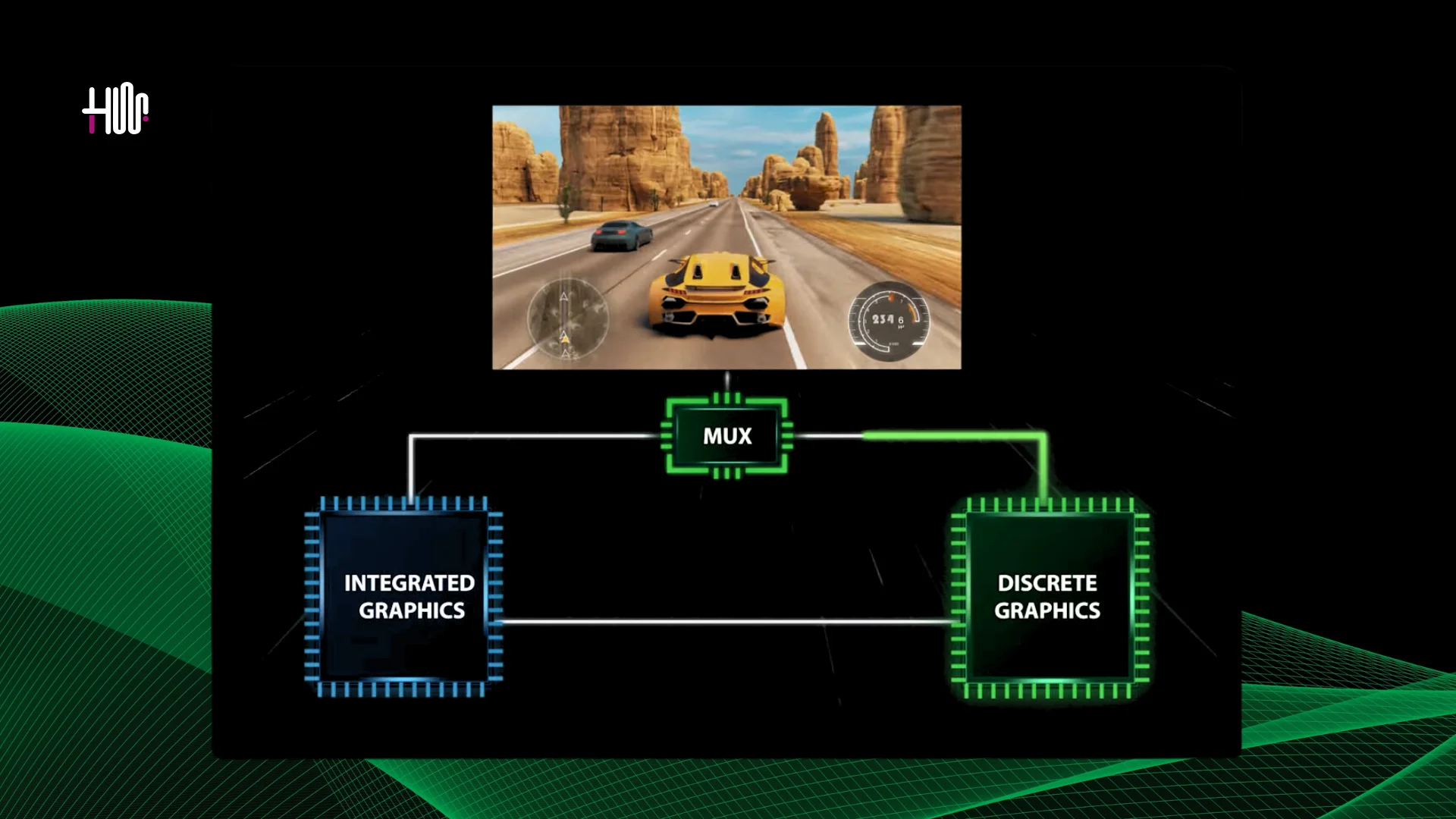
msi raider 18 hx mux graphics card changing with discrete and integration
Image Credits: MSI
  1. Performance Profiles: Choose between profiles to balance battery life and power. Use Discrete Mode to activate the NVIDIA RTX 4090 directly, bypassing the integrated GPU and enhancing efficiency with the MUX switch.
  2. Integrated Mode: Best for general tasks, this saves battery by using the integrated GPU.
  3. User Scenarios Tab: Manually or automatically switch profiles for optimal performance based on your current activity.

Maximizing Power with Overclocking and MSI OverBoost

For those who want to push their MSI Raider 18 HX to the limit, MSI OverBoost Ultra Technology can help firstly by Power Distribution which have the feature of distributing 250W across CPU and GPU (175W to GDiscrete GPU and 75W to CPU).

Ray Tracing and DLSS 3.5

With the NVIDIA RTX 4090, you can enjoy superior graphics quality with ray tracing and DLSS 3.5 by offering high frame rates in demanding games and this all can be configured directly from MSI Center which is a very handy tool for overclocking.

Exploring MSI AI Artist and AI Engine

Already too many features and one more? In era of Artificial Intelligence, how MSI can sit behind so they have integrated built-in AI Image Generation just like Google’s Imagen 3 named MSI AI Artist through which you are now free from brainstorming fatigue.
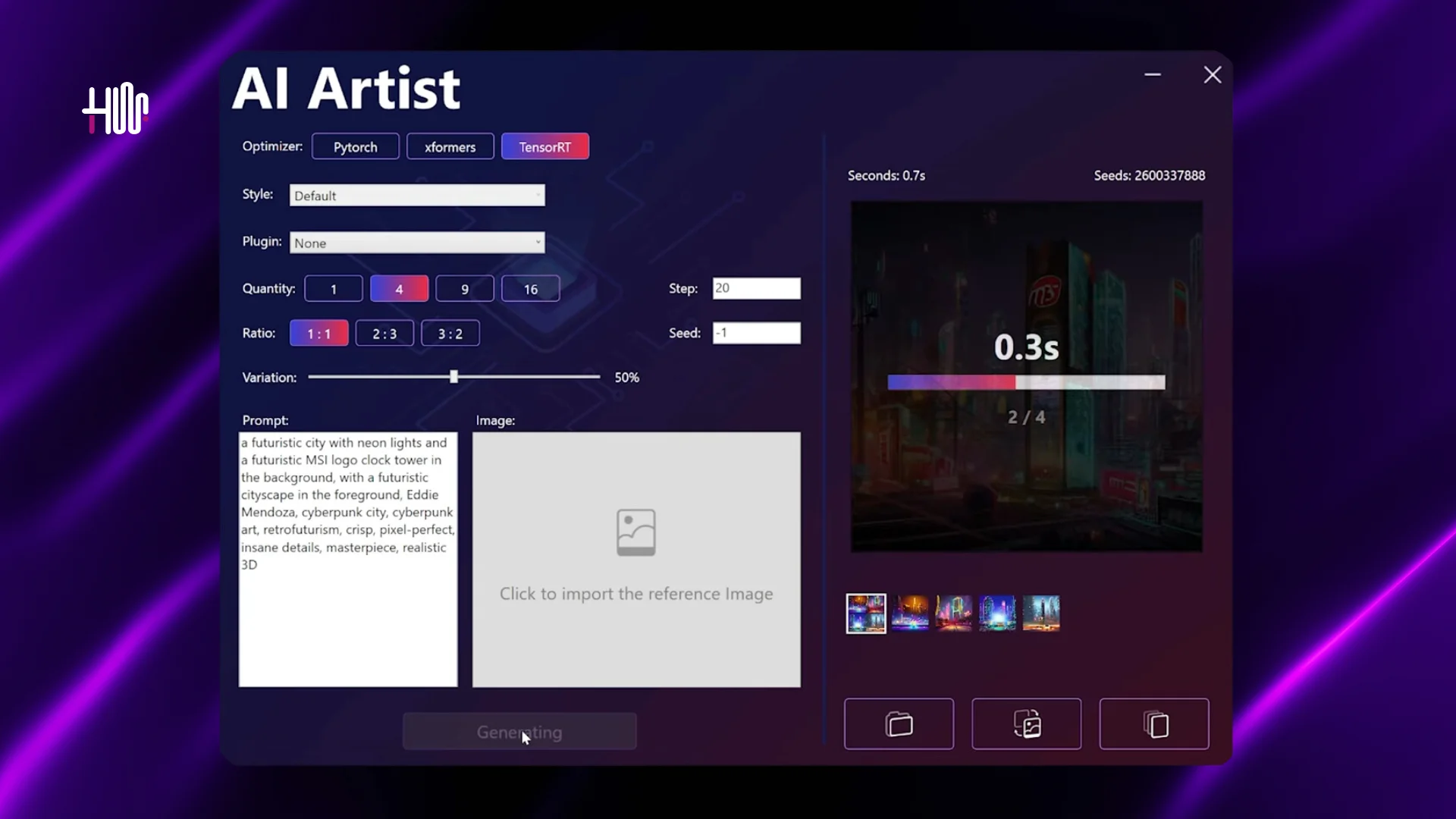
msi raider 18 hx MSI AI Artist inteface - hashtechwave
MSI

Concluding Our Comprehensive Guide

You must be amazed with what hidden features you can get after purchasing MSI Raider 18 MX Laptop series, although tradional MSI users may have used these earlier but the package that Raider 18 is bringing to you is exceptional. So either you from gaming to creative work and productivity, you can leverage its maximum potential. So stay tuned for more exciting tips and guidelines related to gadgets, only on HashTechWave.

Follow Us On Facebook and Instagram

Editor’s Choice:

  • Gigabyte G6 KF (2024) Gaming Beast or Just Hype? Review
  • HP Victus 15 AMD 5 Ryzen 8650HS or Intel Core i5 12450H? What to Choose in 2024
  • MSI MAG325CQRF-QD Review: Ultimate Monitor for Gamers & Creatives
TAGGED:Gaming Laptop GuideMSI

Sign Up For Daily Newsletter

Be keep up! Get the latest breaking news delivered straight to your inbox.
Join Newsletter Join on Whatsapp
Syed Safwan Abbas - CEO
BySyed Safwan Abbas
Tech Editor
Follow:
Syed Safwan Abbas is a senior full-stack developer and the founder of HashTechWave. With over a decade of hands-on coding experience and a deep interest in emerging technologies, he leads the platform's coverage of digital trends, smart tools, and developer news. Outside his work, he’s an active tech community contributor and a casual PUBG competitor.
Previous Article MSI Raider 18 HX A14V Featured Image on Hashtechwave MSI Raider 18 HX A14V Ultimate Power Review & 18″ 4K Display
Next Article Pushpa 2 The Rule – A Box Office Tsunami (In-Depth Review & Highlights) Pushpa 2: The Rule – Blockbuster’s Epic Breakdown (In-Depth Review & Highlights)

Follow US

Find US on Social Medias
FacebookLike
XFollow
YoutubeSubscribe
ThreadsFollow
BlueskyFollow
Popular News
Today NYT Connections Hints & Answers
NYT Connections Hints & Answers (#951) for Jan 17, 2026 Solution
Sarah Thompson
By Sarah Thompson
January 17, 2026
Today’s NYT Wordle Hints & Answer of Jan 17 (Solution #1673)
NYT Strands Hints, Answers and Spangram Today of Jan 17, 2026
NYT Spelling Bee Answers & Pangram For January 16, 2026
Universal Piece Codes (January 2026) – Get Free Gems, Yen & Boosts

You Might Also Like

OpenAI introduces ChatGPT Health
Artificial IntelligenceHow-To

How to Get ChatGPT Health: Waitlist, Privacy Features & Medical Record

By Syed Safwan Abbas
13 Min Read
AMD Ryzen AI 400 & 9850X3D Unveiled at CES 2026 Full Specs vs. Intel
Artificial IntelligenceComputing

AMD Ryzen AI 400 & 9850X3D Unveiled at CES 2026: Full Specs vs. Intel

By Syed Safwan Abbas
6 Min Read
Cloud Gaming 2025 Guide - hashtechwave
GamingHow-To

Cloud Gaming 2026 Guide: Play AAA PC Games on Android & Low-End Laptops (Free & Paid)

By Raza Zaidi
9 Min Read
hashtechwave-light

Your trusted source for gaming insights, technology updates, digital trends, and industry news. We deliver helpful guides, reviews, and updates to keep you informed in today’s fast-moving digital world.

Categories

  • Artificial Intelligence
  • Computing
  • Gaming
  • Entertainment
  • Gadget
  • How-To

Quick Links

  • Cookies Policy
  • Disclaimer
  • Privacy Policy
  • Terms and Condition

© 2025 HashTechWave. All rights reserved.

Join Us!
Subscribe to our newsletter and never miss our latest news, podcasts etc..
[fluentform id="6"]
Zero spam, Unsubscribe at any time.
adbanner
hashtechwave mobile
Welcome Back!

Sign in to your account

Username or Email Address
Password

Lost your password?