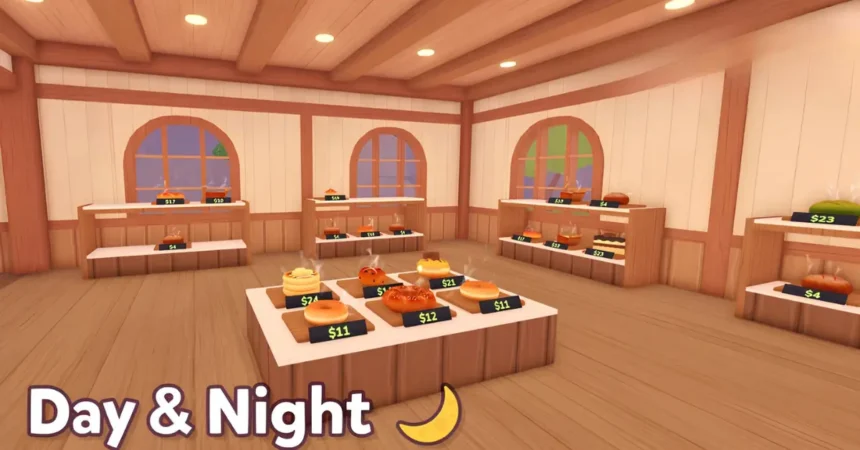

If you are trying to build the busiest bakery shop in Roblox Cook and Sell, you need fast cash, smart shelves, and recipes that actually keep customers buying. Developed by Alpaca Games! and inspired by Overcooked-style kitchen chaos, this Roblox tycoon puts you in charge of buying ingredients, cooking food, stocking shelves, scanning customer bags, and growing your tiny shop into a full food business.
Instead of grinding early bakery sales, you can use active developer codes to instantly stock up on free Cash.
Active Cook and Sell Codes (June 2026)
⚠️ Important Note: Cook and Sell codes can expire without warning. Redeem the active codes below as soon as possible to avoid missing out.
MONEYBAG= 299 Cash (NEW)BONUS= 200 CashYUM= 150 Cash
Want another chill progression game? If you enjoy turning simple resources into steady profit, check out our updated guide for Grow a Garden Codes — another cozy Roblox title where free rewards help you expand faster. And for everything else, dive into our massive Roblox Game Codes Master List to claim free rewards across every popular game!
Pro Strategy: How to Maximize Your Free Cash
Free Cash helps most when you spend it on upgrades that increase repeat sales, not just random early purchases.
- Stock Before Expanding: Keep your shelves filled before chasing bigger layouts. Customers buy more when your shop has variety, so a half-empty bakery wastes traffic that could have turned into quick Cash.
- Watch Food Margins: The June update increased profit margins on food items and lets you raise or lower item costs. Test prices carefully, because pushing costs too high can slow sales while balanced pricing keeps money flowing.
- Push Goal Rewards: Goals unlock better recipes, and better recipes are the real progression jump. Use code Cash to buy ingredients, cook consistently, and complete early goals faster instead of waiting on slow starter sales.
How to Redeem Active Codes
Redeeming codes in Cook and Sell is simple once you enter your shop.
- Launch Cook and Sell on Roblox.
- Click the Play button to enter your shop.
- Press the Codes button on the left side of the screen.
- Click the ENTER CODE field inside the code window.
- Paste a working code and click Claim! to claim your Cash.
What is Roblox Cook and Sell?
Cook and Sell is a Roblox bakery tycoon from Alpaca Games! where you quit school to help run a small shop. It stands out because it mixes Overcooked-style food prep with shop management, so you are not just waiting for passive income, you are actively buying ingredients, cooking items, stocking shelves, and serving customers.
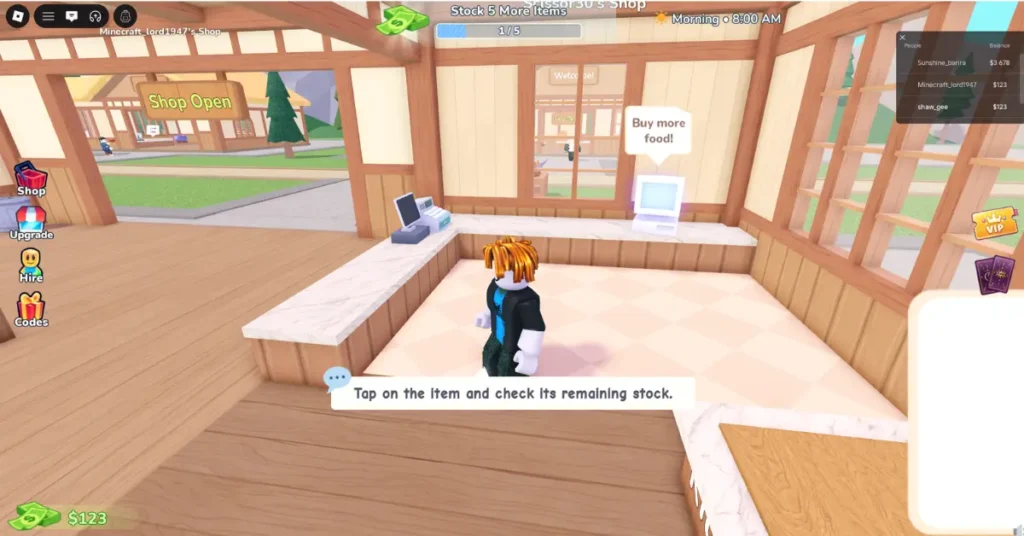
You start with a small bakery setup and build momentum by turning raw ingredients into sellable treats. The core loop is hands-on: buy ingredients from your desk, unbox them in the kitchen, drop them into the pot, place cooked food on shelves, scan customer bags, and take payment.
Progression comes from completing goals, unlocking better recipes, and improving how much value each customer brings into your shop. Recent updates also added bigger profit margins across food items and price controls, while future plans mention new cooking mechanics, appliances, NPC workers, shop decoration, advertising, seating areas, ovens, grills, blenders, and freezers.
Troubleshooting: Why is my code failing?
If your Cook and Sell code does not work, check these common issues before assuming the whole list is dead.
- Expired Codes: Cook and Sell is still in alpha, so codes can disappear quickly after updates, milestones, or balance changes.
- Server Sync Issues: Close Roblox and relaunch the game to join a fresh server instance, especially right after an update.
- Case-Sensitivity: Codes must match exactly, so copy and paste them from the list instead of typing them manually.
Expired Cook and Sell Codes
These Cook and Sell codes no longer work:
- No expired codes yet
How and Where to Track New Developer Drops
Alpaca Games! usually releases Cook and Sell codes around updates, milestone rewards, and community announcements. For the fastest alerts, follow the official Alpaca Games! Roblox group, check the game page after new updates, and watch the official Discord if you have access to it through the Roblox experience page.
Alternatively, you can simply bookmark this page. We check the developer logs daily so you don’t have to scramble through chat apps looking for working links!
How do I get more Cook and Sell codes?
The fastest way to get more Cook and Sell codes is to follow the official Alpaca Games! Roblox group and Discord announcements. Developers usually release new codes during updates, milestones, and community events.
Why is my Cook and Sell code not working?
Your Cook and Sell code may not work because it has expired, the server has not synced after an update, or the code was typed incorrectly. Copy and paste codes exactly as shown because Roblox codes are often case-sensitive.
Can I use a Cook and Sell code multiple times?
No, each Cook and Sell code is single-use per account. If you already redeemed it, the game will not give you extra Cash from the same code again.