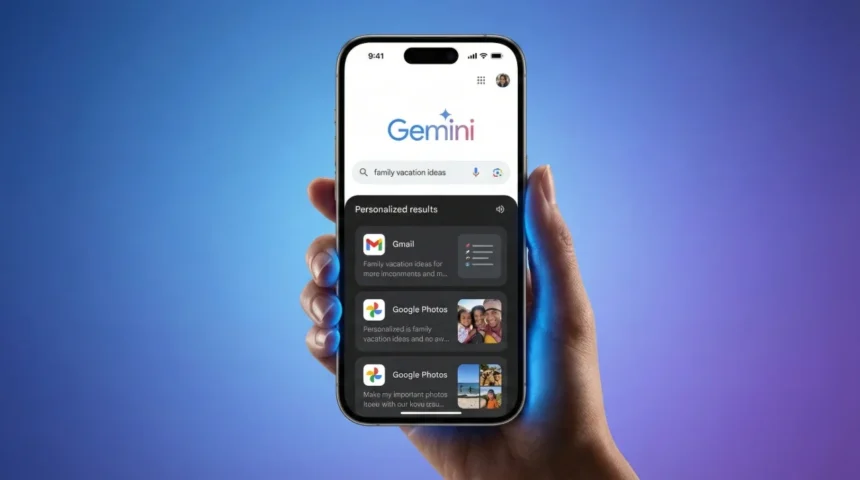

On 22 January 2026, Google launched AI that knows your life and it’s here today. The tech giant released Google Personal Intelligence in AI Mode, a feature that makes search results feel like they are coming from someone who actually knows you. Right now, it’s available for Google One AI Premium, Gemini Advanced and Gemini Ultra subscribers in United States.
What Is Google Personal Intelligence in AI Mode?
Google Personal Intelligence is like having a super-smart assistant, who remembers everything that you have ever told Google, they use that knowledge to help you. For example, Regular Google search is like asking a stranger for restaurant recommendations. It will give you popular spots, but it doesn’t know you hate seafood or that you loved that Italian place last month. This feature is like asking your best friend who knows your tastes, your schedule and even what’s in your photo gallery.
Behind the scenes, Google’s Gemini 3 AI (their smartest AI brain) scans your Gmail, Google Photos, Drive documents and past searches. When you ask a question in AI Mode, it pulls from YOUR personal information to give answers that actually fit your life.
5 Real-Life Examples to Understand
Here’s how Google Personal Intelligence in AI Mode works for different people:
For Travelers Planning a Trip
You’re heading to Chicago next week and search “what should I pack for my trip?“
- Without Google Personal Intelligence: Generic packing lists with summer clothes, even though it’s January.
- With Google Personal Intelligence AI Mode: “Chicago forecast shows 28°F next week. Based on your calendar invite for the business conference, pack your navy suit (from your Drive packing list) plus the winter coat you photographed last month. Your hotel confirmation in Gmail shows breakfast isn’t included, coffee shop recommendations attached.”
For Busy Parents
A mom searches “family hotel in Philadelphia” for spring break.
- Without Google Personal Intelligence: Hundreds of hotels with no context.
- With Google Personal Intelligence AI Mode: Kid-friendly hotels near the Liberty Bell. Based on your emails, your kids are ages 7 and 10. These 3 hotels have pools (you searched pool hotels last vacation), free breakfast and are 15 minutes from the science museum you bookmarked in Maps.
For Photo Enthusiasts
Someone wants to find old vacation pictures and searches “show me ice cream photos.”
- Without Google Personal Intelligence: Random ice cream stock images.
- With Google Personal Intelligence AI Mode: Instantly pulls the gelato photos from your Rome trip (July 2024), the frozen yogurt selfie with your sister (tagged in Photos) and even the ice cream cake from your birthday party, because it knows YOUR photo library.
For Gamers Planning Hangouts
A teen texts friends about weekend plans and searches “fun stuff nearby Saturday.”
- Without Google Personal Intelligence: Generic shopping mall directories and movie listings.
- With Google Personal Intelligence AI Mode: Pixel Arcade opens at noon (you’ve saved 3 high scores there in Photos), 10 minutes from your school. Your friend Jake mentioned laser tag in your Gmail thread last week, Laser Quest has a 2pm slot. A bubble tea spot from your frequent locations is the perfect post-game hangout.
For Home Decorators
You’re redecorating your living room and search “paint colors that would look good in my space.”
- Without Google Personal Intelligence: Generic color palette websites and trending paint swatches.
- With Google Personal Intelligence AI Mode: Based on your Photos, your living room has dark hardwood floors and gets afternoon sunlight from west-facing windows. Your Pinterest saves (linked to Drive) show you love warm neutrals. Here are 4 Benjamin Moore beige-gray shades that complement your existing brown leather couch (from your furniture delivery email last year), plus lighting tips since your room gets harsh 4pm sun.
Google Personal Intelligence in AI Mode transforms vague searches into personalized answers by connecting dots across your Google accounts.
Also Read: How to Use Google AI Mode for Booking and Planning with Samples
Is Google Personal Intelligence in AI Mode Safe?
Google Personal Intelligence AI Mode is 100% opt-in. Google doesn’t automatically scan your inbox unless you turn this feature on. When you do enable it, here’s what happens:
What Google Does Not Do
Google does not train its public AI models on your private data. Your emails, photos and documents stay yours. The company explicitly states that personal content won’t be used to improve AI for other users. No human employees read your stuff to make this work, it’s all automated AI processing.
What Google Does Do
When you ask a question in AI Mode, Gemini 3 scans your Gmail, Photos and Drive for relevant information to answer YOUR specific question. It uses your prompts and the AI’s responses to improve future answers for you personally. The data stays in your Google account ecosystem.
3- Privacy Controls You Have
- Turn it off anytime: Disable Personal Intelligence in settings and Google stops using your data immediately.
- Delete activity history: Clear past AI Mode conversations from your Google account activity page.
- Choose what to share: You can exclude specific Gmail labels or photo albums from AI access (coming in future updates according to Google’s blog).
Think of it like giving your house key to a trusted friend versus a stranger. You control who gets access and you can take the key back whenever you want.
How to Enable Google Personal Intelligence in AI Mode
Follow these steps:
- Step 1: Open Google.com on your phone or computer. Make sure you’re logged into your Google One AI Premium, Gemini Advanced or Gemini Ultra account (this feature isn’t available on free accounts yet).
- Step 2: Look for the “AI Mode” toggle in the search bar. It looks like a small sparkle icon or says “AI Mode” next to the search box. Click or tap it to turn it on.
- Step 3: When you first enable Google Personal Intelligence in AI Mode, you’ll see a popup asking permission to access Gmail, Photos and Drive. Read it carefully, then tap “Allow” if you want personalized results.
- Step 4: Start searching! Try questions like “what’s on my calendar tomorrow?” or “find that recipe I saved last month.” The more specific your question, the better the AI performs.
What if you don’t see AI Mode? Google is rolling this out through their Labs program. Check Settings > Google Labs to see if you have early access. Some users in the US are getting it first, with global expansion expected by March 2026.
Limitations of Google Personal Intelligence in AI Mode
Here are common issues reported based on initial impressions:
- It sometimes gets confused with similar names: If you have two friends named Sarah, the AI might pull info from the wrong email thread. Fix this by being specific “Sarah from work” versus “Sarah my cousin.”
- Only works in English right now: Pakistani users who search in Urdu or other languages won’t get personalized results yet. Google says multilingual support is “coming soon.”
- Requires strong internet connection: Since this new Personal Intelligence AI Mode scans multiple accounts in real-time, slow WIFI means slow results. Mobile data users might see delays.
Final Thoughts
Google Personal Intelligence in AI Mode is changing how we search, making it smarter, faster and way more personal. Whether you are a gamer tracking tournament stats, a student finding old research or just someone tired of digging through endless emails, this feature could be your new best friend. One smart approach is to enable Google Personal Intelligence in AI Mode for specific tasks, then disable it when you don’t need it.
Google is betting that personalized AI is the future of search. Based on early user reviews from tech forums, they might be right, as long as they keep privacy controls strong and give users real choice. Want to try it yourself? Head to Google.com and look for that AI Mode toggle.
Follow HashTechWave for more breaking tech news that actually makes sense. Stay curious, stay informed!
FAQs
What is Google Personal Intelligence?
An opt-in feature that personalizes AI Mode using your Gmail and Photos for better search answers.
How do I enable Google Personal Intelligence in AI Mode?
Profile > Search personalization > Connected apps > Toggle Gmail/Photos.
Who can use Google Personal Intelligence ?
AI Pro/Ultra subscribers in US English, personal accounts only.
Can I turn off Google Personal Intelligence in AI Mode?
Yes, anytime in settings; delete history too.
Does Google Personal Intelligence in AI Mode read all my emails?
No, only relevant context for your query, opt-in only.
Can Google Personal Intelligence help with shopping?
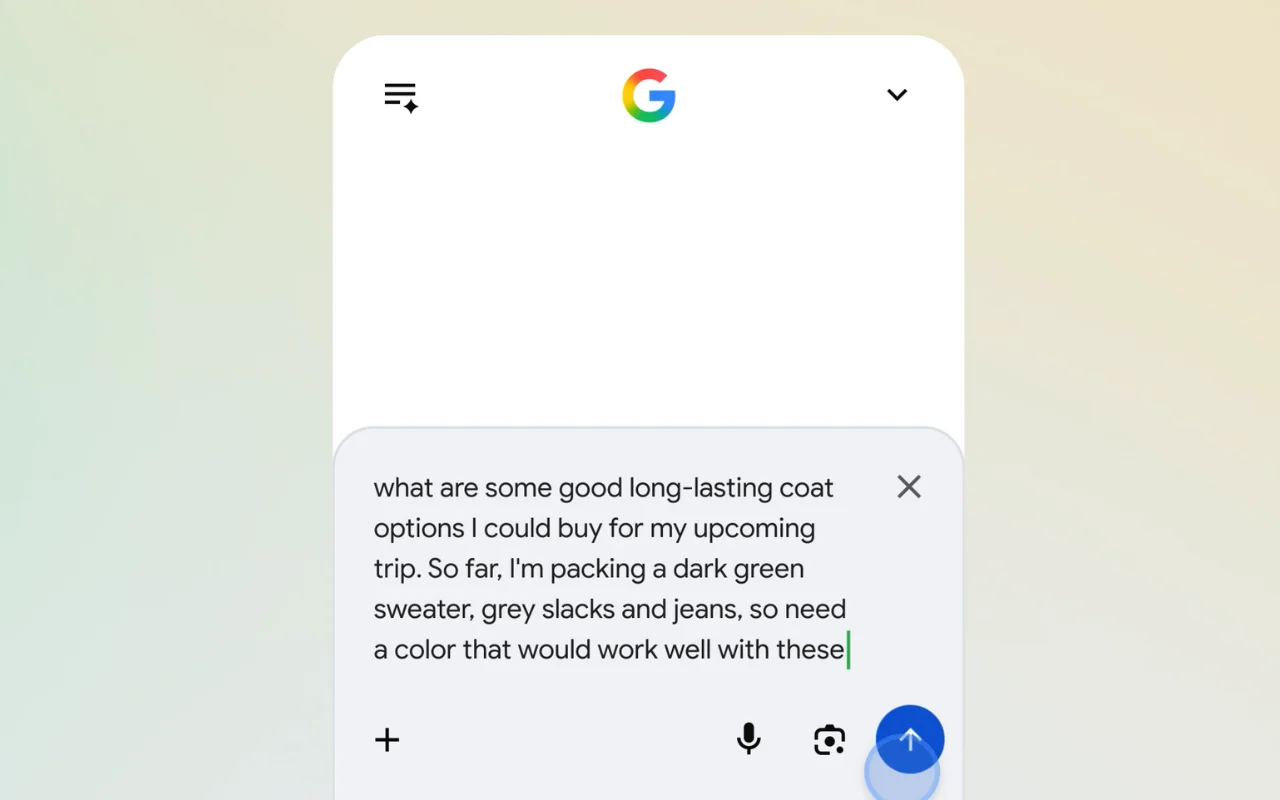
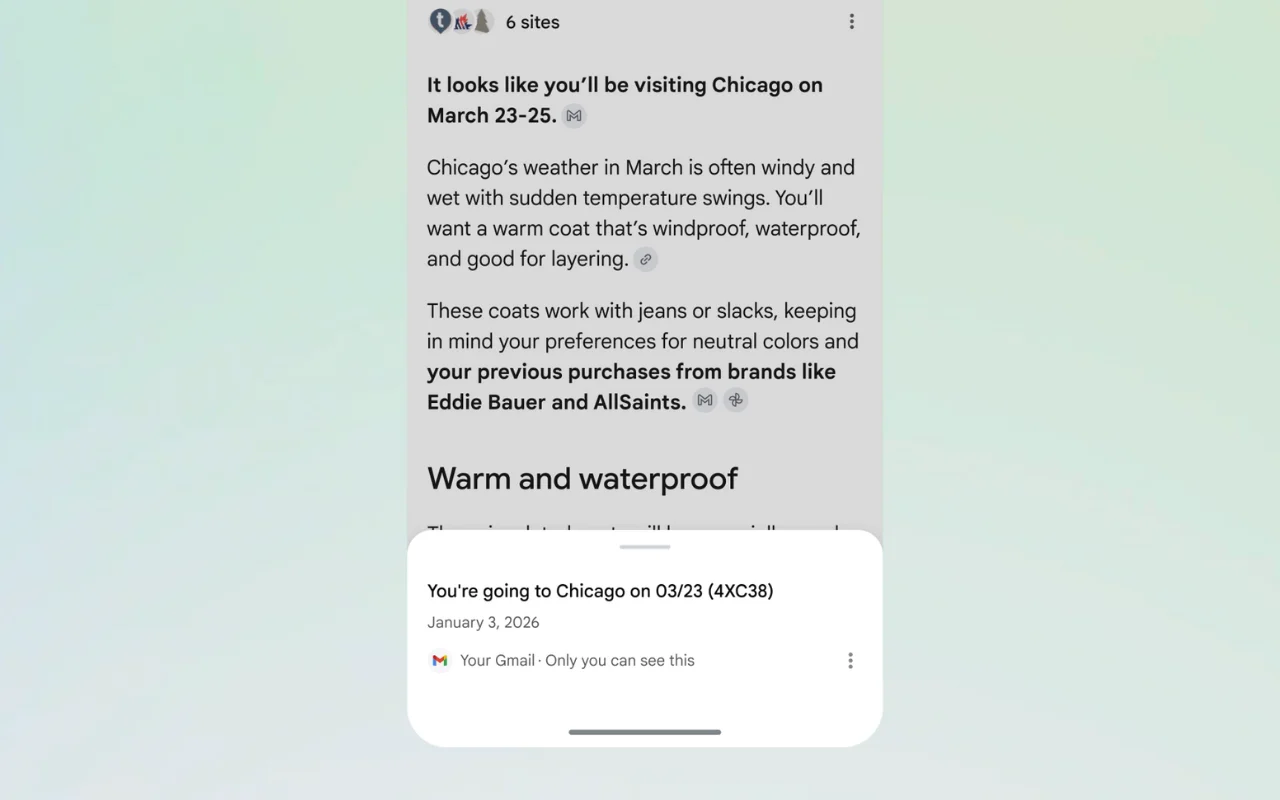
Yes, like suggesting coats based on your trip emails and past photos.