hashtechwave-light
  • AI
  • Computing
  • Mobile
  • Gaming
    • NYT Games
    • Roblox Codes
    • GTA
  • How-To
  • Entertainment
    • Amazon Prime
    • Netflix
  • Gadget
  • News
Saturday, Jan 17, 2026
Notification
Font ResizerAa
HashTechWaveHashTechWave
  • Artificial Intelligence
  • Automobile
  • Computing
  • Entertainment
  • Gadget
  • How-To
  • Gaming
  • Mobile
  • News
Search
  • Artificial Intelligence
  • Automobile
  • Computing
  • Entertainment
  • Gadget
  • How-To
  • Gaming
    • Roblox Codes
    • NYT Games
  • Mobile
  • News
Have an existing account? Sign In
Follow US
© HashTechWave News Network. HashBitStudio Company. All Rights Reserved.
HashTechWave > Blog > How-To > Fortnite Mobile is Back: How to Download and Play on Android and iOS Today
How-To

Fortnite Mobile is Back: How to Download and Play on Android and iOS Today

Syed Saim Abbas
Last updated: November 1, 2024 1:32 am
By Syed Saim Abbas
8 Min Read
SHARE

Fortnite Mobile continues to captivate players worldwide, and the excitement only grows with each new season. With the release of Fortnite Chapter 5 Season 4, there’s fantastic news for mobile gamers. Now Fortnite Mobile has made its long-awaited return to iOS devices in the European Union. Not only can iOS users in the (EU) jump back into the battle, but Android users also have the opportunity to enjoy the latest season. In this guide, we’ll cover everything you need to know about downloading Fortnite on your mobile device, whether you’re an iOS or Android user, and the latest updates that come with this new chapter.
Contents
  • Fortnite Mobile: Eligibility Criteria and Release Regions
    • Supported Devices and Hardware Requirements
  • Fortnite Step-by-Step Download Guide
    • Fortnite on iOS
    • Fortnite on Android
  • Special Offers and Rewards in Fortnite Mobile
  • Options for Non-EU Players
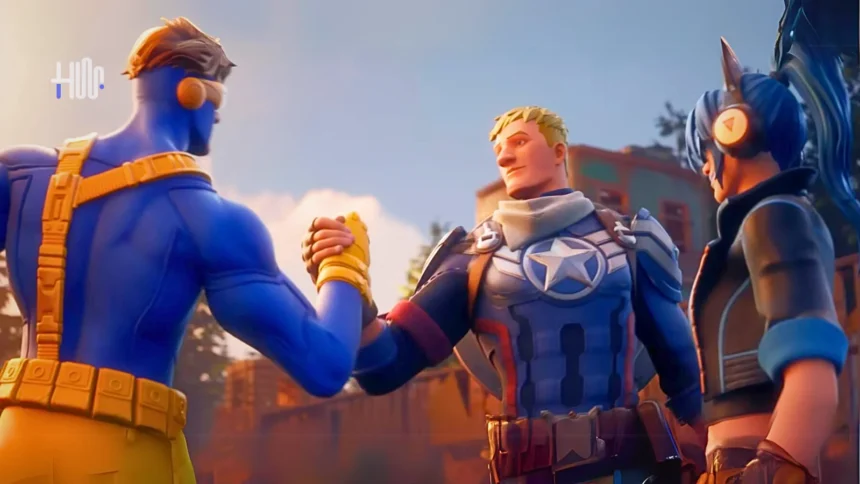
fortnite download mobile
Image used with permission by copyright holder

Fortnite Mobile: Eligibility Criteria and Release Regions

Before you begin with the download, it is your responsibility to check if your device and location satisfy the necessary requirements. It is now possible for iOS users in the EU to access Fortnite as it is back with Apple after a lengthy break. PlayStation gamers based in the EU can get Fortnite on mobile direct from Epic Games Store. If you are outside the EU, the exclusion of Fortnite by Apple will prevent you from downloading it directly on your iOS device. Still, the Android community can get the game via the Epic Games Store.

Fortnite is finally returning to iOS in Europe.

Epic Games founder and CEO Tim Sweeney

CEO Tim Sweeney expressed his gratitude during an interview and shows that the company is looking forward to joining hands again with the iOS community in that area

- Advertisement -

Supported Devices and Hardware Requirements

To ensure a smooth gaming experience, you’ll need a device that meets Fortnite’s hardware requirements. For iOS, the game supports devices running iOS version 17.6 or above. The following iOS devices are capable of running Fortnite at 60 FPS:

  • iPhone 11/11 Pro/11 Pro Max
  • iPhone 12/12 Pro/12 Pro Max
  • iPhone 13
  • iPhone 14
  • iPhone 15
  • iPhone SE 2022

To run Fortnite mobile at 90+ FPS, following iOS devices are currently supported

  • iPhone 13 Pro, iPhone 13 Pro Max
  • iPhone 14 Pro, iPhone 14 Pro Max
  • iPhone 15 Pro, iPhone 15 Pro Max

Unlike Apple’s iOS, which is limited to a smaller range of devices, Android runs on a vast variety of phones and tablets. This diversity means there’s no single list of devices guaranteed to run Fortnite perfectly. However, if you want to play Epic Store Fortnite Mobile on Android, your device should at least meet these basic requirements:

- Advertisement -
  • Android Version: 8.0 or higher
  • RAM: Minimum 4GB
  • GPU: Adreno 530 or newer / Mali-G71 MP20 or newer / Mali-G72 MP12 or newer

Meeting these specs will help ensure smoother gameplay. Here is the list of some top of the line Smartphone brands of Android devices supporting Fortnite Mobile on 60 FPS
  • Samsung Galaxy S10
  • Samsung Galaxy S10e
  • Samsung Galaxy S10+
  • Samsung Galaxy Note 10
  • Samsung Galaxy Note 10+
  • Samsung Galaxy Note 10+ 5G
  • Samsung Galaxy S20/S20+/S20 Ultra
  • Samsung Galaxy S22/S22 Ultra
  • Samsung Galaxy S23/S23 Ultra
  • Samsung Galaxy S24/S24 Ultra
  • Huawei P30
  • Huawei P30 Pro
  • Sony Xperia 1
  • Sony Xperia 5
  • Xiaomi Mi9
  • OnePlus 7 Pro
  • OnePlus 8
  • OnePlus 8 Pro
  • ASUS ROG Phone 2
  • Infinix GT20 Pro
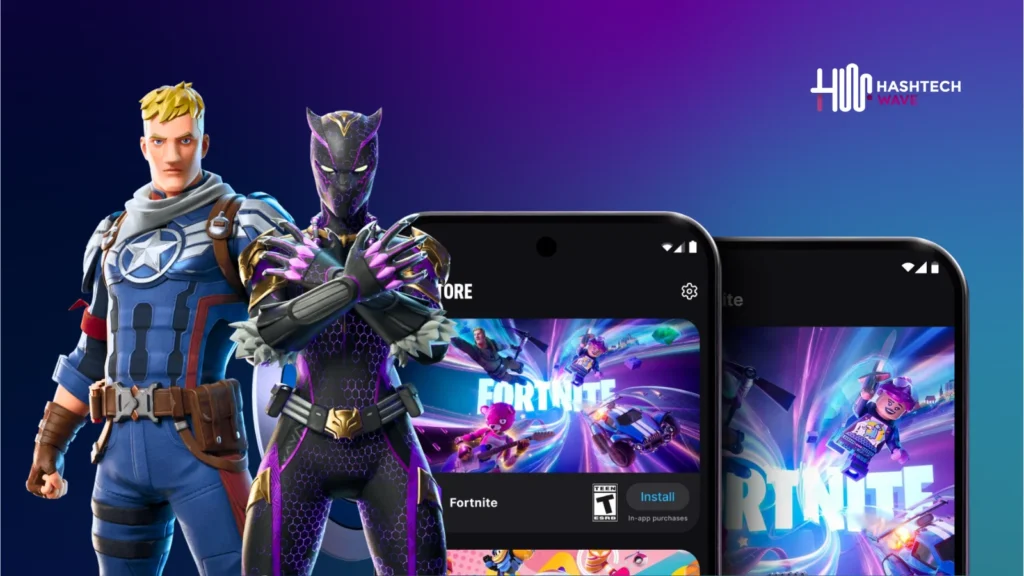
fortnite mobile download ios android - hashtechwave
Image Credits: HashTechWave/Epic Games

Fortnite Step-by-Step Download Guide

Fortnite on iOS

  • Step 1: Open the Safari browser on your iOS device. Visit the Epic Games Store marketplace (note: this is not available through the App Store).
  • Step 2: Apple will verify your region to ensure you are in the European Union.Confirm that your iOS device is running version 17.6 or higher.
  • Step 3: On the Epic Games Store page, tap “Get it on Phone.”
  • Step 4: Ensure all requirements are met, then press “Continue.”
  • Step 5: If you receive a pop-up indicating that your device isn’t set up to allow the Epic Games Store marketplace, go to your browser settings and enable “Allow Marketplace from Epic Games.”
  • Step 6: Re-open the browser, press “Install” on the page you were on, and tap “Install App Marketplace,” then press “Continue.”
  • Step 7: The Epic Games Store will now be on your device. Locate the Fortnite app within the store and install it.

Enjoy Fortnite for free on your iOS device!
- Advertisement -
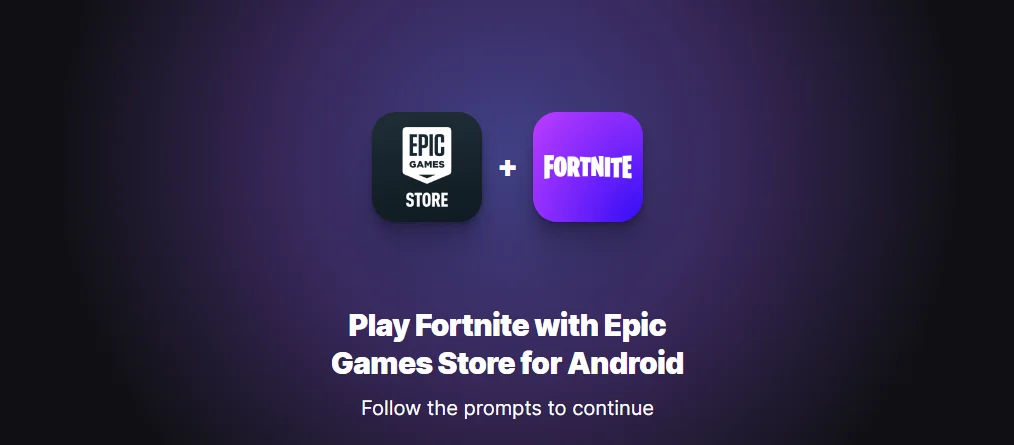
Download Fortnite Mobile on Android

Fortnite on Android

  • Step 1: Open your preferred web browser and visit the Epic Games Store.
  • Step 2: Search for Fortnite in the store and tap “Get it on Android.”
  • Step 3: Follow the on-screen instructions to download and install the Epic Games App.
  • Step 4: Once installed, open the Epic Games App, find Fortnite, and tap “Install.”
  • Step 5: Allow any necessary permissions and wait for the download to complete.
  • Step 6: Once installed, launch Fortnite and enjoy the game!

Special Offers and Rewards in Fortnite Mobile

Fortnite Chapter 5 Season 4 brings exciting rewards exclusively for mobile players. By completing specific quests on Fortnite mobile, you can unlock unique items:
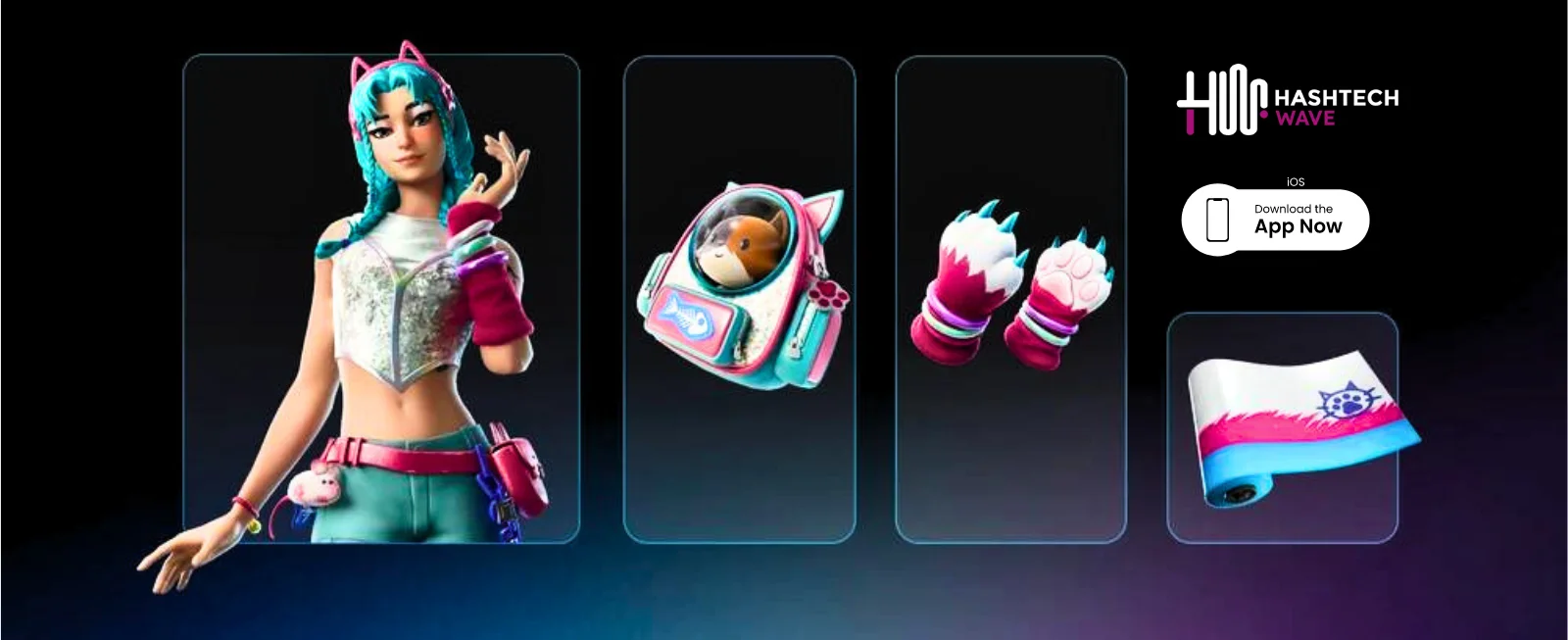
  • On Earning 25,000 XP players can unlock the Tactical Kat Wrap
  • On Earning 50,000 XP players can unlock the Kat Claws Pickaxe
  • On Earning 75,000 XP players can unlock the Katalina’s Kit Bag Back Bling
  • On Earning 100,000 XP players can unlock the Katalina Outfit
rewards fortnite mobile
Image Credits: HashTechWave/Epic Games Fortnite Mobile Rewards

These quests can be completed by playing Fortnite mobile version, Its on you whether to use iOS or Android but staying in the European Union. Important: These rewards aren’t unlocked by completing the quests only, but players can also purchase these in the shop for every fortnite player on later date.

- Advertisement -

More Read

Fortnite Absolute Doom - hashtechwave
Must Play Fortnite Chapter 5 Season 4: All Exciting Updates, Weapons, Map and Characters

Options for Non-EU Players

Are you outside EU and unable to download Fortnite directly on your iOS device? Don’t worry. You can still play the game using cloud streaming services such as Nvidia GeForce Now, Amazon Luna, or Xbox Cloud Gaming. Using these platforms, you can now stream Fortnite right to your device without having to install it locally.

Editor’s Recommendation: Explore XDefiant Season 2 New Modes, DLCs & Weapons

TAGGED:FortniteGaming

Sign Up For Daily Newsletter

Be keep up! Get the latest breaking news delivered straight to your inbox.
Join Newsletter Join on Whatsapp
Avatar of Syed Saim Abbas
BySyed Saim Abbas
Entertainment Content Writer
Follow:
I am Saim Abbas and I write about movies streaming and the kind of stories people talk about for days. I have been working in the entertainment space for several years. Thanks to HashTechWave I finally have a place to say what I really think. If it's worth watching or skipping you'll probably find me talking about it.
Previous Article Fortnite Absolute Doom - hashtechwave Must Play Fortnite Chapter 5 Season 4: All Exciting Updates, Weapons, Map and Characters
Next Article Macbook Air 2024 - Ram and Rom - hashtechwave SSD vs RAM: Which Upgrade is Best for MacBook Air M2 in 2025

Follow US

Find US on Social Medias
FacebookLike
XFollow
YoutubeSubscribe
ThreadsFollow
BlueskyFollow
Popular News
NYT Strands game #684 puzzle - Jan 16, 2026
NYT Strands Hints, Answers and Spangram Today of Jan 16, 2026
Sarah Thompson
By Sarah Thompson
January 16, 2026
Today’s NYT Wordle Hints & Answer of Jan 17 (Solution #1673)
NYT Connections Hints & Answers (#949) for Jan 15, 2026 Solution
NYT Spelling Bee Answers & Pangram For January 16, 2026
Universal Piece Codes (January 2026) – Get Free Gems, Yen & Boosts

You Might Also Like

OpenAI introduces ChatGPT Health
Artificial IntelligenceHow-To

How to Get ChatGPT Health: Waitlist, Privacy Features & Medical Record

By Syed Safwan Abbas
13 Min Read
Cloud Gaming 2025 Guide - hashtechwave
GamingHow-To

Cloud Gaming 2026 Guide: Play AAA PC Games on Android & Low-End Laptops (Free & Paid)

By Raza Zaidi
9 Min Read
pubg mobile earphone bluetooth glitch fix
GamingHow-To

Fix: PUBG Mobile Audio Switches to Phone Speaker When Mic is On (Android Bluetooth Glitch)

By Syed Safwan Abbas
5 Min Read
hashtechwave-light

Your trusted source for gaming insights, technology updates, digital trends, and industry news. We deliver helpful guides, reviews, and updates to keep you informed in today’s fast-moving digital world.

Categories

  • Artificial Intelligence
  • Computing
  • Gaming
  • Entertainment
  • Gadget
  • How-To

Quick Links

  • Cookies Policy
  • Disclaimer
  • Privacy Policy
  • Terms and Condition

© 2025 HashTechWave. All rights reserved.

Join Us!
Subscribe to our newsletter and never miss our latest news, podcasts etc..
[fluentform id="6"]
Zero spam, Unsubscribe at any time.
adbanner
hashtechwave mobile
Welcome Back!

Sign in to your account

Username or Email Address
Password

Lost your password?