
hashtechwave-light
  • AI
  • Computing
  • Mobile
  • Gaming
    • NYT Games
    • Roblox Codes
    • GTA
  • How-To
  • Entertainment
    • Amazon Prime
    • Netflix
  • Gadget
  • News
Friday, Jan 16, 2026
Notification
Font ResizerAa
HashTechWaveHashTechWave
  • Artificial Intelligence
  • Automobile
  • Computing
  • Entertainment
  • Gadget
  • How-To
  • Gaming
  • Mobile
  • News
Search
  • Artificial Intelligence
  • Automobile
  • Computing
  • Entertainment
  • Gadget
  • How-To
  • Gaming
    • Roblox Codes
    • NYT Games
  • Mobile
  • News
Have an existing account? Sign In
Follow US
© HashTechWave News Network. HashBitStudio Company. All Rights Reserved.
HashTechWave > Blog > Computing > HP Victus 15 AMD 5 Ryzen 8650HS or Intel Core i5 12450H? What to Choose in 2025
Computing

HP Victus 15 AMD 5 Ryzen 8650HS or Intel Core i5 12450H? What to Choose in 2025

Syed Safwan Abbas - CEO
Last updated: January 3, 2025 4:52 pm
By
Syed Safwan Abbas
Syed Safwan Abbas - CEO
BySyed Safwan Abbas
Tech Editor
Syed Safwan Abbas is a senior full-stack developer and the founder of HashTechWave. With over a decade of hands-on coding experience and a deep interest in...
Follow:
8 Min Read
SHARE

If you’re looking to purchase a budget-friendly gaming laptop in (2025) with solid specifications, the HP Victus 15 series is worth your consideration. I’ve spent time with two specific models—the HP Victus 15 FA0033dx and HP Victus 15 FB2082wm and here’s what I’ve experienced with both.

Contents
  • At a Glance: Specifications Comparison of HP Victus 15 Models
  • Victus 15 Performance: A Hands-On Perspective
    • HP Victus 15 FB2082wm: Enhanced Graphics and Display Brightness
  • Daily Usage: Battery Life and Portability
    • Who Is the HP Victus 15 For?
  • Final Thoughts: Which HP Victus 15 Should You Buy?

If you’re new to laptops and not too familiar with the technical side then don’t worry, I’ll keep everything simple but insightful, so you can make the best choice without feeling overwhelmed.

At a Glance: Specifications Comparison of HP Victus 15 Models

FeatureHP Victus 15 FA0033dxHP Victus 15 FB2082wm
ProcessorIntel Core i5 12450H, 12th Gen Alder Lake
4 Cores (P) x 4.40 GHz + 4 Cores (E) x 3.30 GHz + 12 Threads
AMD Ryzen™ 5 8645HS (6 Cores x 4.3 GHz) – Max Clock Speed Up to 5 GHz + 12 Threads
RAM Slots2 Ram Slots – (8 GB DDR4-3200 MHz RAM)2 Ram Slots – (8 GB DDR5-5600 MHz RAM)
Storage512 GB PCIe NVMe M.2 SSD512 GB PCIe Gen4 NVMe M.2 SSD
Graphics CardNVIDIA GeForce RTX 3050 Laptop GPU (4 GB GDDR6 dedicated)NVIDIA GeForce RTX 4050 Laptop GPU (6 GB GDDR6 dedicated) – 1605 MHz Clock Speed
Display15.6-inch diagonal, FHD (1920 x 1080), 144 Hz, IPS, micro-edge, anti-glare15.6 inch FHD (1920 x 1080), 144 Hz, 9ms response time, IPS with micro-edge and anti-glare, 300 nits, 45% NTSC
SoundDual speakers Audio by B&ODual speakers Audio by B&O
Operating SystemWindows 11 64-BitWindows 11 64-Bit
Technical Comparison Between Victus 15 FA0033dx and Victus 15 FB2082wm

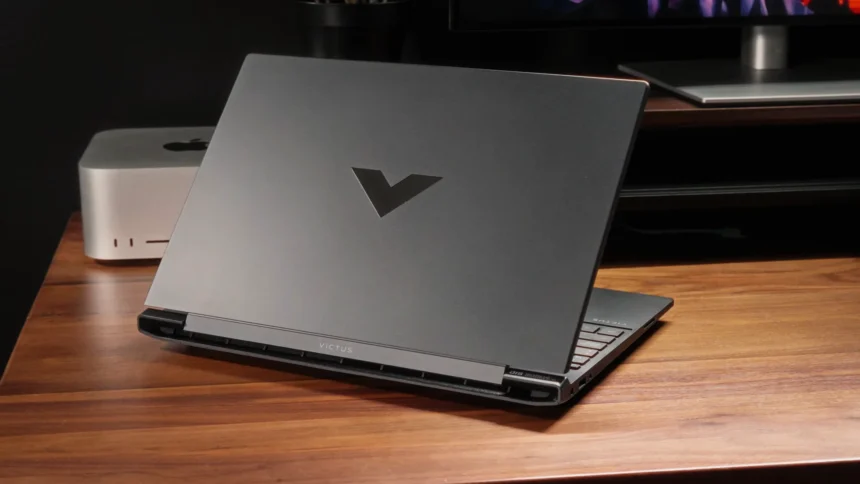
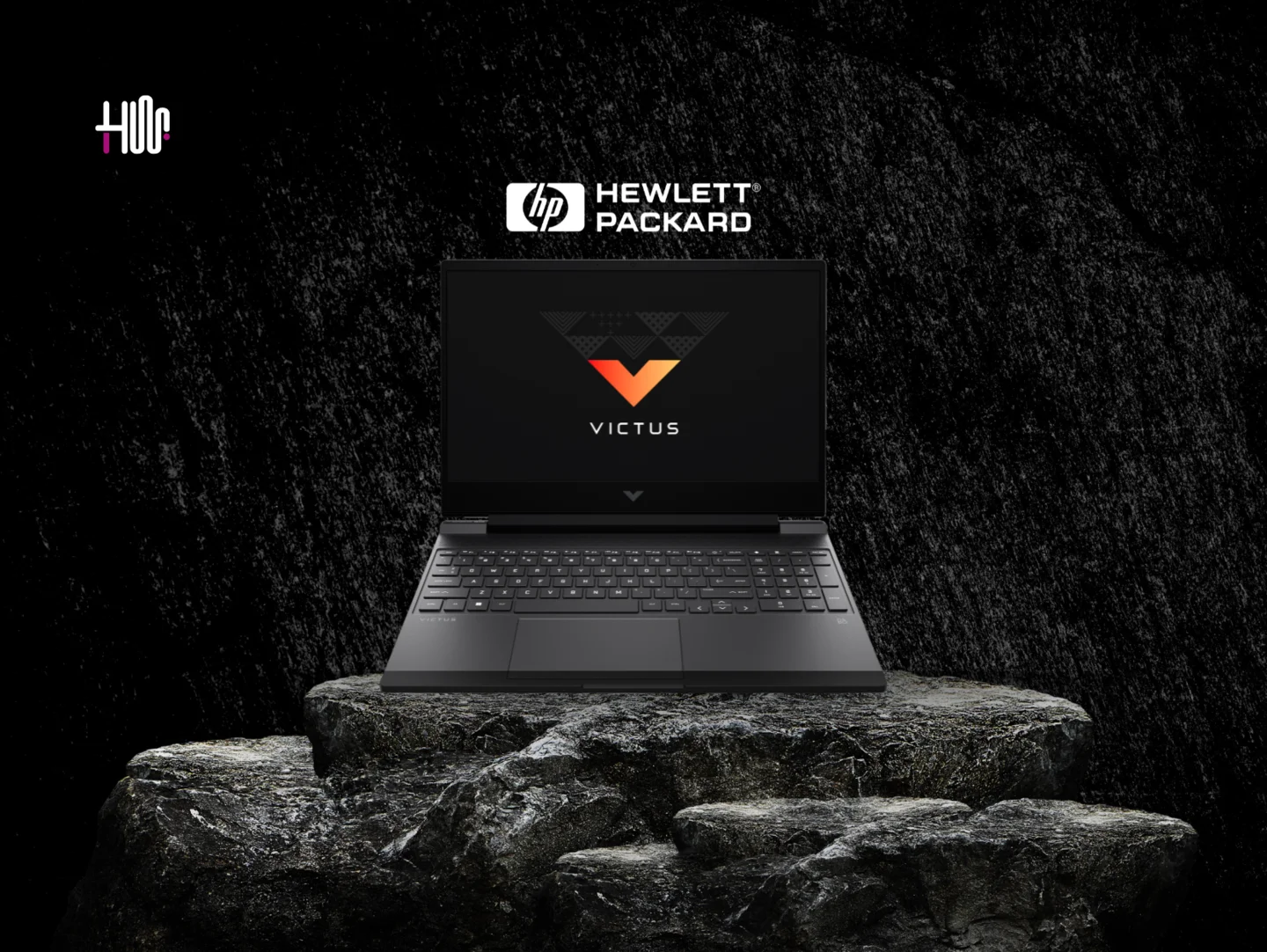
From the get-go, both models have a clean and sleek look, as always HP kept the design simple, which I appreciate. The Victus 15 doesn’t scream “gaming laptop” like many others in this category, so it’s perfect for anyone who wants something that looks professional but still packs a punch.
- Advertisement -
HashTechWave - HP Victus 15 Build Design
HashTechWave – HP Victus 15 Build Design

Also Read: ASUS ZenBook S 14: Ultra-Thin Elegance Meets Edgy AI Tech

The 15.6-inch display is just the right size: not too big, not too small. I could comfortably carry either model around without feeling weighed down, thanks to the manageable 5 lbs weight.

Victus 15 Performance: A Hands-On Perspective

I started with the HP Victus 15 FA0033dx, which is powered by an Intel Core i5 12th Gen processor (12450H). For day-to-day tasks, this model is a breeze as I was browsing multiple tabs, streaming videos and even doing some light photo editing and observed that it handled everything smoothly without noticeable lag.

- Advertisement -

Victus 15 FA0033dx comes with 4GB NVIDIA GeForce RTX 3050, which is a decent GPU for mainstream gaming. While testing games like Valorant and Minecraft, it maintained stable frame rates at 1080p, making it great for casual gamers. But main limitation is the 8GB RAM, so for better experience while playing game or while editing, you must upgrade your RAM to atleast 16 GB.

HP Victus 15 FA0033DX

Less that $600
3.7 out of 5
This product offers great value with impressive performance, but there are a few drawbacks to consider.
Good Stuff Decent Pricing Display Refresh Rate 144 Hz Good Gaming Experience on Light Titles
Bad Stuff 8GB RAM by Default So Need to Upgrade Little Stiff Touch Pad Plastic Body, so Less Durable Dim Screen due to less nits GPU is 4 GB, Not For Editors
Buy on AmazonBuy on eBay

Google reviews highlight this as a reliable option for students and gamers who don’t necessarily need top-tier performance but want stable graphics and an affordable price tag.

- Advertisement -

HP Victus 15 FB2082wm: Enhanced Graphics and Display Brightness

FB2082wm is powered by the AMD Ryzen 5 8645HS which has received a lot of praise online for its efficient handling of multitasking and moderate gaming tasks. The standout feature of this model is its 6GB NVIDIA GeForce RTX 4050 graphics card and DDR5-5600 MHz RAM.
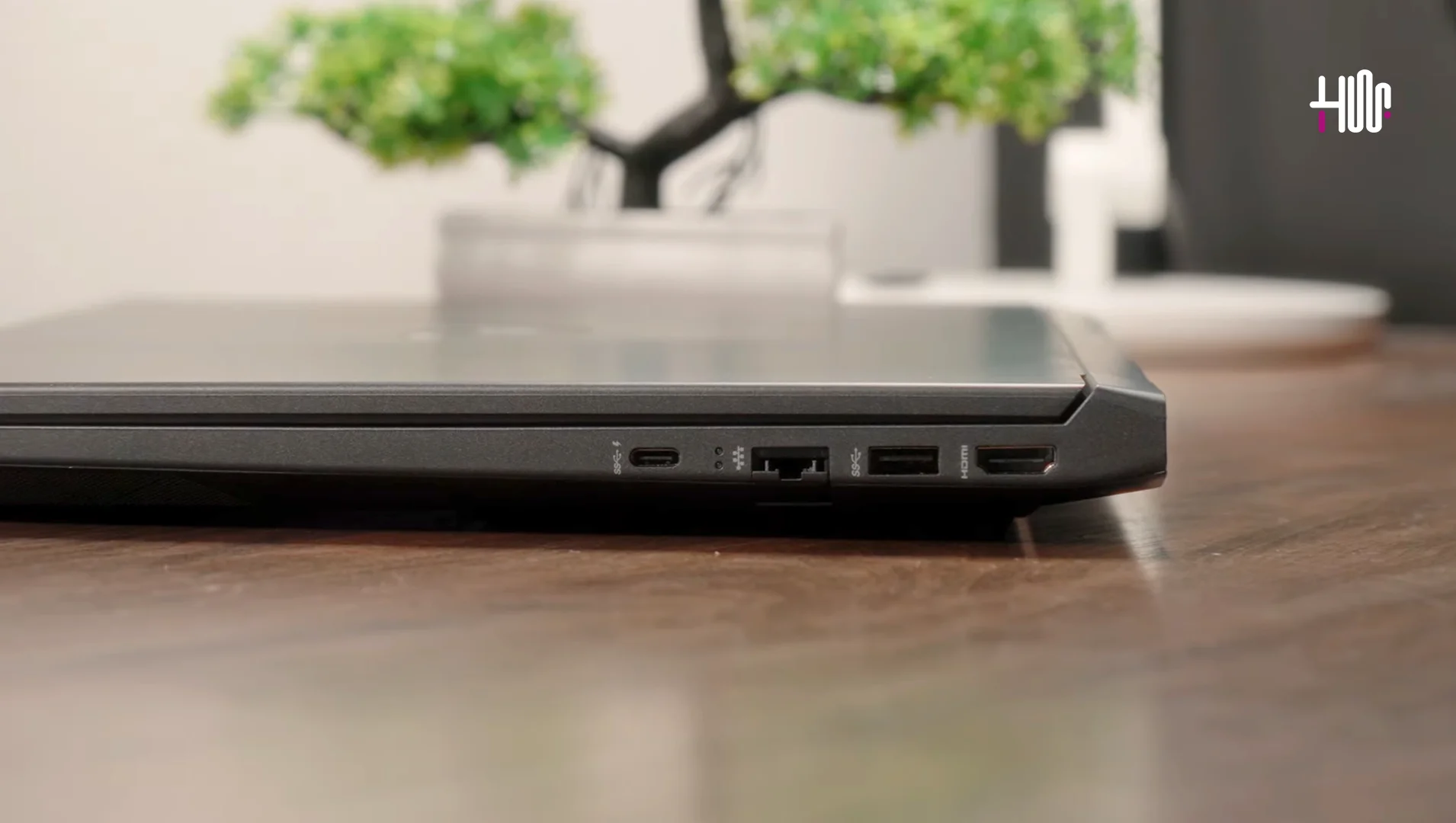
1 USB Type-C (DisplayPort 1.4), 1 USB Type-A and HDMI 2.1
1x USB Type-C (DisplayPort 1.4), 1x USB Type-A and HDMI 2.1

This powerful GPU elevates gaming and in my experience, the laptop handled graphically demanding games like Cyberpunk 2077 on high settings, I got around 58 FPS that was quite well and on Red Dead Redepemtion 2, I got average of 50 FPS on high preset. Overall gaming was good but issue is still the 8 GB RAM.

- Advertisement -

HP Victus 15 FB2082wm

Less that $800
4.3 out of 5
This product offers great value with impressive performance, but there are a few drawbacks to consider.
Good Stuff Enhanced 6GB NVIDIA GeForce RTX 4050 Supports up to 64GB of DDR5 RAM Improves 144Hz display with 300-nit brightness Good keyboard and Touchpad
Bad Stuff Comes By Default 8 GB so, need to Upgrade Limited Battery Life Due to 4050 GPU Little Costly
Buy on AmazonBuy on eBay

Daily Usage: Battery Life and Portability

While testing both Victus Laptops, FB2082wm model slightly outlasts than FA0033DX by offering around 8 hours of battery life versus 7 hours. If you’re someone who values longer battery life for working on the go, the FB2082wm might be the better choice.

Who Is the HP Victus 15 For?

Here’s a breakdown to help you determine which model might fit your lifestyle best:
  • Students: Both laptops offer best performance for note-taking, research, and video calls but FB2082wm’s slightly extended battery life makes it a good pick for students needing portability.
  • Casual Gamers: FA0033DX model can handle medium-end games like Fortnite with ease, but not best with AAA Titles due to 4 GB VRam whereas the FB2082WM can provide more better gaming experience.
  • Creators or Designers: If you want to do creative tasks, then go with Victus 15 FB2082WM but make sure to upgrade your RAM to atleast 16 GB.
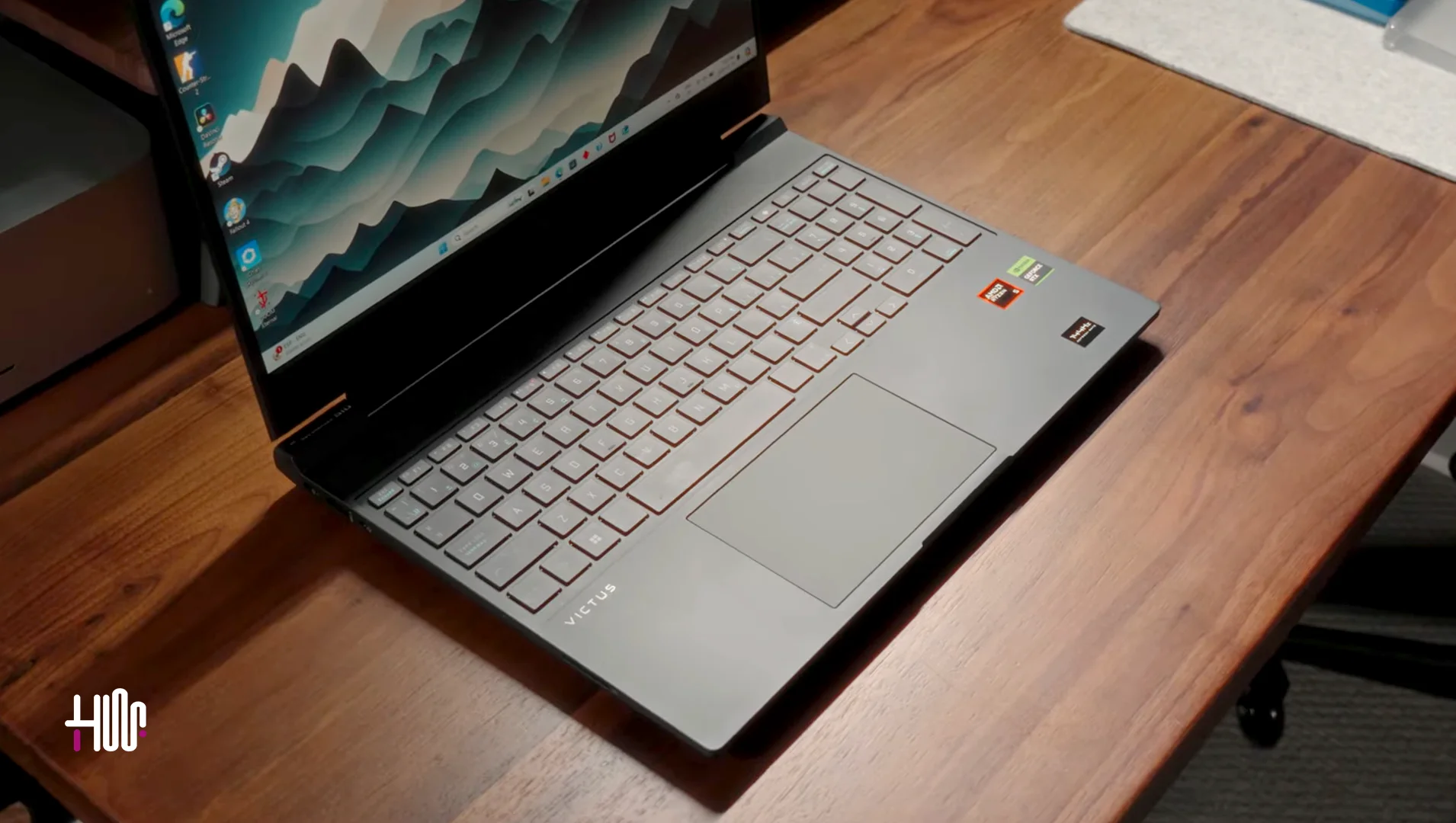
HP Victus 15 Full Size Keyboard with Backlit

Final Thoughts: Which HP Victus 15 Should You Buy?

Both of these HP Victus 15 models serve different needs but ultimately provide excellent value for their price.

Choose the HP Victus 15 FA0033DX:

If you want flexibility in RAM upgrades and a decent gaming experience within a budget then this model is especially good for you as this can give you power for balanced study, work, and gaming.

Important Note

Brightness of Both Laptops are not so good but Victus 15 FB2082WM have slightly better brightness of 300nits. It have 62% sRGB (Low Color Accuracy), which means IPS display is not vivid, hence it can’t help color sensitive tasks.

Opt for the HP Victus 15 FB2082WM:

If you need a bit more power in graphics and enjoy a brighter screen then Tthis model is a great choice if you spend a lot of time gaming, creating content or using the laptop in various lighting conditions.

Editor’s Recommendation:

  • Lunar Lake on Samsung Galaxy Book5 Pro 360: Technical Review
  • Is Samsung Galaxy Book 4 Edge Worth Buying? Technical Review
  • MSI MAG325CQRF-QD Review: Ultimate Monitor for Gamers & Creatives
TAGGED:Gaming LaptopHP LaptopLaptop Review

Sign Up For Daily Newsletter

Be keep up! Get the latest breaking news delivered straight to your inbox.
Join Newsletter Join on Whatsapp
Syed Safwan Abbas - CEO
BySyed Safwan Abbas
Tech Editor
Follow:
Syed Safwan Abbas is a senior full-stack developer and the founder of HashTechWave. With over a decade of hands-on coding experience and a deep interest in emerging technologies, he leads the platform's coverage of digital trends, smart tools, and developer news. Outside his work, he’s an active tech community contributor and a casual PUBG competitor.
Previous Article Woods is also back in Call of Duty Black Ops 6 Is Call of Duty Black Ops 6 Worth Playing on Xbox Game Pass?
Next Article apple macbook pro m4 specs and performance Apple MacBook Pro M4 Specs, Performance and Pricing: in 2025

Follow US

Find US on Social Medias
FacebookLike
XFollow
YoutubeSubscribe
ThreadsFollow
BlueskyFollow
Popular News
NYT Strands game #684 puzzle - Jan 16, 2026
NYT Strands Hints, Answers and Spangram Today of Jan 16, 2026
Sarah Thompson
By Sarah Thompson
January 16, 2026
Today’s NYT Wordle Hints & Answer of Jan 16 (Solution #1672)
NYT Connections Hints & Answers (#949) for Jan 15, 2026 Solution
NYT Spelling Bee Answers & Pangram For January 16, 2026
Universal Piece Codes (January 2026) – Get Free Gems, Yen & Boosts

You Might Also Like

AMD Ryzen AI 400 & 9850X3D Unveiled at CES 2026 Full Specs vs. Intel
Artificial IntelligenceComputing

AMD Ryzen AI 400 & 9850X3D Unveiled at CES 2026: Full Specs vs. Intel

By Syed Safwan Abbas
6 Min Read
Download and Upgrade to Windows 10 - Hashtechwave
How-ToComputing

Download & Install Latest Windows 10 Official ISO (2025): Full Step-by-Step Guide

By Syed Safwan Abbas
8 Min Read
Windows 10 Start Menu Crash Fix
How-ToComputing

Fix: Windows 11 & Windows 10 Start Menu Crash (Microsoft Photos App Tile Bug)

By Syed Safwan Abbas
7 Min Read
hashtechwave-light

Your trusted source for gaming insights, technology updates, digital trends, and industry news. We deliver helpful guides, reviews, and updates to keep you informed in today’s fast-moving digital world.

Categories

  • Artificial Intelligence
  • Computing
  • Gaming
  • Entertainment
  • Gadget
  • How-To

Quick Links

  • Cookies Policy
  • Disclaimer
  • Privacy Policy
  • Terms and Condition

© 2025 HashTechWave. All rights reserved.

Join Us!
Subscribe to our newsletter and never miss our latest news, podcasts etc..
[fluentform id="6"]
Zero spam, Unsubscribe at any time.
adbanner
hashtechwave mobile
Welcome Back!

Sign in to your account

Username or Email Address
Password

Lost your password?