
If you’ve been on X or Reddit lately, you’ve seen the posts “developers stacking Mac Minis like pancakes, running a mysterious crab-themed AI called Moltbot (formerly Clawdbot)“. It’s not just a trend, it’s a shift in how we use AI on daily basis. Instead of typing into a ChatGPT box, Moltbot lives on your hardware. It connects to your WhatsApp, Telegram, or Slack and acts like a real digital employee. It has persistent memory, runs commands and works while you sleep.
But why the sudden obsession with Mac Minis? Is it safe? And what are the hidden costs nobody mentions? As a tech writer who’s spent days testing this setup, here is the only guide you need to decide if the Moltbot Mac Mini hype is worth your money.
Also See: Gemini 3: The AI Model That Finally Puts Google Back in the Lead
What Is Moltbot (and Why the Name Change)?
Moltbot is an open-source, self-hosted AI agent created by Austrian developer Peter Steinberger (@steipete). It launched in late 2025 as “Clawdbot” but was rebranded to Moltbot in January 2026 after a trademark request from Anthropic (makers of Claude).
Unlike Siri or Google Assistant, Moltbot is headless and hackable at some extinct.
- Headless: You don’t talk to a specific app. You message it on WhatsApp like a friend.
- Proactive: It runs “cron jobs” (scheduled tasks). You can tell it, “Check my server logs every morning at 8 AM and WhatsApp me if errors exist.”
- Agnostic: It runs on macOS, Linux, or Windows (via WSL2).
Why Mac Mini + Moltbot Is the “Meta”
While you can run Moltbot on a $50 Raspberry Pi or a $5/month VPS, the M4 Mac Mini has become the gold standard. Here is why the community is obsessed:
1. The “Always-On” Factor
Moltbot needs to be awake 24/7 to answer your texts or run background tasks.
- Mac Mini M4: Idles at 5-7 watts. It costs pennies to run all year.
- Gaming PC: Idles at 50-100W+ (noisy and hot).
- Laptops: Not designed for 24/7 uptime (battery swell risks).
2. Unified Memory for Context
AI models eat RAM. The M4’s unified memory (16GB minimum recommended) allows Moltbot to hold massive amounts of context, emails, project files and chat history without choking.
3. Privacy & Local Voice
On macOS, Moltbot can tap into native accessibility tools. It can “see” your screen to debug issues or use high-quality local text-to-speech without sending audio to the cloud.
| Feature | Mac Mini M4 (16GB) | Raspberry Pi 5 | Cloud VPS (Hetzner) |
|---|---|---|---|
| Performance | (Instant) | (Laggy on heavy tasks) | (Depends on tier) |
| Setup Ease | ⭐⭐⭐⭐⭐ (Native) | ⭐⭐⭐ (Node.js quirks) | ⭐⭐ (Linux CLI heavy) |
| Power Cost | ~$5/year | ~$3/year | N/A (Monthly rent) |
| Privacy | Local | Local | ☁️ Hosted (Semi-private) |
What Can Moltbot Actually Do?
I scraped r/LocalLLM and Discord to find what power users are actually building. It’s wilder than just “summarize this email.”
The Digital Executive Assistant
One user configured Moltbot to:
- Monitor Gmail for invoices.
- Extract data via OCR.
- Add rows to a Google Sheet.
- WhatsApp a weekly spending summary.
Result: “It handled my tax prep while I slept.”
The DevOps Watchdog
For developers (DevOps), Moltbot connects to server logs. Which I tried like:
“I texted ‘Deploy the hotfix’ to my Moltbot on Telegram. It SSH’d into my server, pulled the git repo, ran the build and confirmed success. I was at dinner.”



The Research Machine
In an era of Content Writers of 2026, this can be a research machine to generate a valuable content for end users.
Command: “Research ‘best gaming mouse 2026’, read the top 5 Reddit threads and summarize the complaints.”
Result: A perfectly formatted report in Markdown, delivered to my phone in 2 minutes.
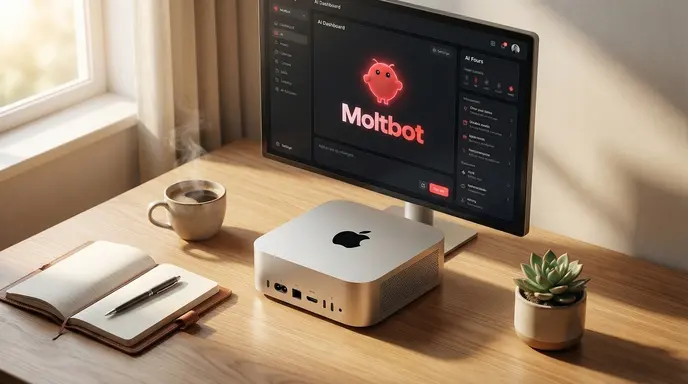
Apple Mac mini Desktop Computer with M4 chip
Apple Mac Mini 4 is packed with 10 core CPU and 10 core GPU: Built for Apple Intelligence, 16GB Unified Memory, 256GB SSD
The Dark Side: Security & Hidden Costs of Moltbot with Mac Mini
Before you buy a Mac Mini as your personal automation agent, read this. The hype hides the thorns.
1. The “Spicy” Security Risk
Steinberger himself warns that Moltbot is “spicy.”
- Shell Access: You are giving an AI permission to run terminal commands. If a malicious prompt injection tricks it (e.g., from a poisoned website it reads), it could theoretically delete files.
- Port Exposure: Opening ports for remote access (default 18789) without proper security (like Tailscale) is dangerous.
- Fix: Always use Tailscale for remote access. Never expose it directly to the internet.
2. It’s Not “Free”
The software is free (MIT license), but intelligence costs money.
- API Bills: Moltbot uses LLMs like Claude 3.5 Sonnet or GPT-4o to think.
- Cost Reality: Heavy users report $20–$50/month in API fees.
- Warning: One Reddit user woke up to a $120 bill because a loop went wrong. Set spending limits in your API dashboard!
Quick Setup Guide (Mac Mini M4)
- Install: Open Terminal.
https://molt.bot/install.sh | bash - Onboard: Run the wizard.
clawdbot onboard --install-daemon - Choose Brain: Select Anthropic (Claude) for best reasoning or OpenAI for speed.
- Connect: The terminal will show a QR code. Scan it with WhatsApp or link Telegram.
- Test: Text it: “Who are you?” If it replies, you’re live.
Verdict: Hype or Future?
Moltbot on Mac Mini sits at that rare point where prototype meets promise. Security demands vigilance, API costs surprise but when you text a desk box and get real work done, the future feels close. Test it on spare hardware first. HashTechWave readers don’t chase trends, we test them.
FAQs
Can I run Moltbot on Windows?
Yes, via WSL2 (Windows Subsystem for Linux), but macOS is the “happy path” for developers right now.
Is Moltbot only for Mac Mini users?
No, it runs on multiple platforms, and the Mac Mini is mainly popular because it is a clean always-on host.
Should I buy a Mac Mini just for Moltbot?
If you love automation and want 24/7 uptime with minimal noise, it can make sense, but many users are better off testing on a spare machine first before spending on new hardware.