
FREE MEETING: KEY TRENDS AND RISKS IN NFT GAMES– REGISTER

  • Blog
  • About us
  • Contact Us
  • Newsletter
Reading: Cloud Gaming 2026 Guide: Play AAA PC Games on Android & Low-End Laptops (Free & Paid)
Share
HTW Logo Daymode HTW Logo Nightmode
  • BOOKMARKS
  • AI
  • Computing
  • Mobile
  • Gaming
    • NYT Games
    • Roblox Codes
    • GTA
  • How-To
  • Entertainment
    • Amazon Prime
    • Netflix
  • Gadget
  • News
Reading: Cloud Gaming 2026 Guide: Play AAA PC Games on Android & Low-End Laptops (Free & Paid)
Share
Font ResizerAa
HashTechWaveHashTechWave
Search
  • Artificial Intelligence
  • Automobile
  • Computing
  • Entertainment
  • Gadget
  • How-To
  • Gaming
    • Roblox Codes
    • NYT Games
  • Mobile
  • News
Have an existing account? Sign In
Follow US
© Foxiz News Network. Ruby Design Company. All Rights Reserved.
Cloud Gaming 2025 Guide - hashtechwave
HashTechWave > Blog > Gaming > Cloud Gaming 2026 Guide: Play AAA PC Games on Android & Low-End Laptops (Free & Paid)
GamingHow-To

Cloud Gaming 2026 Guide: Play AAA PC Games on Android & Low-End Laptops (Free & Paid)

raza zaidi is a roblox gamer and anime lover
Last updated: January 1, 2026 1:34 am
Raza Zaidi
raza zaidi is a roblox gamer and anime lover
ByRaza Zaidi
Anime & Manhwa Content Writer
Raza Zaidi is a writer at HashTechWave who lives at the verge of anime and gaming. Whether it’s breaking down the latest Solo Leveling twist, exploring...
Follow:
- Anime & Manhwa Content Writer
Published: December 28, 2025
Share

Stop worrying about expensive graphics cards. In 2026, you don’t need a high-end rig to play Cyberpunk 2077, Call of Duty or upcoming GTA VI. You just need a screen and a decent internet connection.

Contents
  • What is Cloud Gaming?
  • At a Glance: Top Cloud Gaming Platforms (2026 Pricing)
  • The Top Cloud Gaming Platforms in 2026
    • 1. NVIDIA GeForce Now (The Visual King)
    • 2. Xbox Cloud Gaming (The “Netflix” of Games)
    • 3. Redfinger & LDCloud (The AFK Grinders)
  • How to Play from Unsupported Regions (VPN Jumpstart)
  • How to Reduce Lag: Evidence-Based Optimizations
  • Why Cloud Phones Help AFK MMO Players
  • Minimum Requirements Checklist (With Official Data)
  • Conclusion
    • Is cloud gaming completely free?
    • How much data does cloud gaming use?
    • My input lag is high. How do I fix it?

If you are stuck with a budget Android phone or an aging laptop, this is your turning point. This guide explains how to turn your existing device into a powerful gaming setup using proven platforms, network tweaks, and region workarounds backed by real data.

What is Cloud Gaming?

Cloud gaming runs video games on powerful remote servers rather than your local device. The server handles all the processing (graphics, logic, AI) and streams the video to your screen instantly. Your device only needs to decode the video and send button presses back, meaning a $200 Chromebook can run games at the same quality as a $2,000 PC.

Also Read: GTA 5 PC Requirements: Minimum, Recommended & Enhanced Specs Explained

- Advertisement -

At a Glance: Top Cloud Gaming Platforms (2026 Pricing)

PlatformBest ForPrice (Monthly)Free Tier?
GeForce NowPerformance & Visuals. Plays games you already own on Steam/Epic with RTX 4080 power.$9.99 (Performance)
$19.99 (Ultimate)
Yes (1-hr sessions, ad-supported)
Xbox Cloud (xCloud)Game Library. “Netflix-style” access to 400+ games including Halo and Forza.$19.99 (included in Game Pass Ultimate)No (Requires sub)
Shadow PCFull Freedom. A complete Windows 11 PC in the cloud. Install mods, Photoshop, or any game.~$29.99 (Boost)
~$49.99 (Power)
No
Amazon Luna+Casual & Prime Members. Easy access, integrates with Ubisoft+ and GOG.$9.99 (Luna+)No (Rotating free games for Prime users)

The Top Cloud Gaming Platforms in 2026

Multiple independent reviews place GeForce Now, Xbox Cloud Gaming, and similar services at the top of the market, based on library size, latency, and device support.​

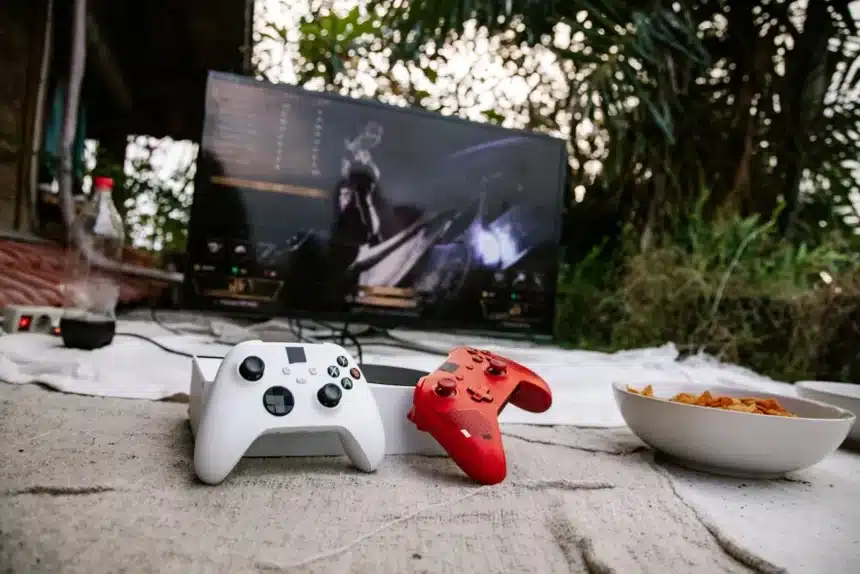
Nvidia go and xbox gaming cloud
Cloud Gaming 2026 Guide: Play AAA PC Games on Android & Low-End Laptops (Free & Paid) 3

1. NVIDIA GeForce Now (The Visual King)

GeForce Now (GFN) consistently ranks as the best service for performance. It connects to your existing libraries on Steam, Epic Games Store, and Ubisoft Connect.

  • The Experience: The Ultimate Tier streams from RTX 4080-class servers, supporting up to 4K resolution and 120 FPS.
  • 2026 Update: NVIDIA recently introduced a 100-hour monthly cap for Performance and Ultimate tiers to manage server congestion. Unused hours roll over (up to 15 hours).
  • Best For: Gamers who already own PC games and want maximum visual fidelity.

2. Xbox Cloud Gaming (The “Netflix” of Games)

Bundled with Xbox Game Pass Ultimate ($19.99/mo), this service is ideal if you don’t own any games yet. You get instant access to a massive library of rotating titles, including day-one releases like Starfield or Call of Duty.

- Advertisement -
  • Touch Controls: Over 150 titles have native touch layouts, making them playable on mobile without a controller.
  • Best For: Players who want a curated library and seamless switching between Xbox console and mobile.

3. Redfinger & LDCloud (The AFK Grinders)

These are not for Cyberpunk; they are Cloud Android Emulators. Services like Redfinger ($8.95/mo) and LDCloud (~$11.99/mo) create a virtual Android phone that runs 24/7 on a server.

  • Why Use Them? They are massive in the MMO community (e.g., Ragnarok X) for “AFK farming.” You can turn off your real phone, and the cloud phone keeps grinding for XP and loot all night.

How to Play from Unsupported Regions (VPN Jumpstart)

Many official services (like Xbox xCloud) are not yet available globally in regions like Pakistan, parts of Africa, or SEA. However, you can play using the “VPN Jumpstart” method.

- Advertisement -

The Method:

  1. Connect a VPN: Select a server in the nearest supported country (e.g., Germany, Japan, or USA).
  2. Launch the Stream: Open the GeForce Now or Game Pass app. The app checks your location only when the session starts.
  3. Disconnect the VPN: Once the game logo appears and the stream initializes, disconnect the VPN.
    • Why? This routes the heavy video traffic through your local high-speed connection, removing the lag caused by the VPN, while keeping the session active.

How to Reduce Lag: Evidence-Based Optimizations

Speed isn’t everything. Stability is key. Here is how to fix stuttering on low-end devices.

  • Switch to 5 GHz Wi-Fi: Never game on 2.4 GHz. It suffers from interference. Connecting to a 5 GHz or Wi-Fi 6 network significantly improves responsiveness.

Match Resolution to Speed:

- Advertisement -
  • 15 Mbps: Cap your stream at 720p / 60 FPS.
  • 25+ Mbps: You can safely target 1080p / 60 FPS.

On older, low-end Android phones, the native app can sometimes be heavy. Try using the browser version (Chrome or Edge) at play.geforcenow.com or xbox.com/play for smoother decoding.

Why Cloud Phones Help AFK MMO Players

Cloud emulator comparisons in 2026 explain that services like Redfinger and LDCloud keep the game running on remote Android instances with stable datacenter connections. This means your AFK farming is unaffected by local power cuts, battery limits, or Wi‑Fi drops, which is why MMO communities frequently recommend them for continuous grinding.​

- Advertisement -

Minimum Requirements Checklist (With Official Data)

If you want an article that feels authoritative, tying each requirement to a concrete source is critical.

  • Internet speed:
    Most cloud services and independent tests recommend 10–20 Mbps for 720p and about 25 Mbps or more for 1080p. NVIDIA’s own GeForce Now documentation lists 15 Mbps as a minimum line speed and 25 Mbps for 1080p.​
  • Latency:
    Network and gaming speed guides show that action games feel best under about 40 ms ping, while more casual or story-driven titles remain playable up to around 80 ms.​
  • Device specs:
    Reviews from PCMag, CNET, and others highlight that cloud gaming works well on mid-range Android phones and low-end laptops because the heavy rendering is done remotely; the device only needs to support modern browsers or the official apps and basic video decoding.

Conclusion

Cloud gaming in 2026 has matured from an experiment into a reliable way to play high-end games. Whether you use GeForce Now for its graphics or Xbox Game Pass for its library, your hardware is no longer the limit.

- Advertisement -

Ready to start? If you have a decent 5GHz Wi-Fi connection, sign up for the GeForce Now Free Tier today to test your network before committing to a subscription.

Have you tried the VPN Jumpstart method? Share your device model and region in the comments below so we can help you optimize your settings!

Is cloud gaming completely free?

Generally, no. GeForce Now has a Free Tier, but it limits you to 1-hour sessions and forces you to wait in a queue. For unlimited play, you must pay.

How much data does cloud gaming use?

A lot. Streaming at 1080p uses approximately 4GB to 10GB per hour. It is highly recommended to use an uncapped Wi-Fi connection rather than mobile data.

My input lag is high. How do I fix it?

Input lag (the delay between pressing a button and seeing the action) is often caused by Bluetooth. Connect your controller via USB cable to your phone or laptop to shave off critical milliseconds.


TAGGED:Cloud gamingGaming GuidePC GamesXbox

Sign Up For Daily Newsletter

Be keep up! Get the latest breaking news delivered straight to your inbox.
Subscription Form

By signing up, you agree to our Terms of Use and acknowledge the data practices in our Privacy Policy. You may unsubscribe at any time.
Share This Article
Facebook Email Copy Link Print
Share
raza zaidi is a roblox gamer and anime lover
ByRaza Zaidi
Anime & Manhwa Content Writer
Follow:
Raza Zaidi is a writer at HashTechWave who lives at the verge of anime and gaming. Whether it’s breaking down the latest Solo Leveling twist, exploring Los Santos in GTA or ranking anime-inspired Roblox games, he brings both passion and perspective to every piece. He followed open-world games since the PS2 era and still gets pulled into side quests more than he’d admit. When he's not bingeing episodes on Crunchyroll, you’ll find him testing mods, chasing game deals, or revisiting classic open worlds, this time with ray tracing on.
Previous Article expedition 33 Why Expedition 33 Was Disqualified From Indie Game Awards
Next Article GTA 6 on a Potato PC The Complete Cloud Gaming Guide How can you play GTA 6 on a Potato PC? The Complete Cloud Gaming Guide (2026)

Follow US

Find US on Socials
Facebook Twitter Instagram
Subscribe to our newsletter

Get Newest Articles Instantly!

Subscription Form

Popular News
Trump Bans Anthropic from Every U.S
Trump Bans Anthropic From All Federal Agencies as OpenAI Secures Pentagon AI Contract
Roblox Garden Horizons Codes (February 2026)
Google Gemini AI Music Generator Create Free AI Songs
Google Gemini AI Music Generator is out: How to Create Free AI Songs

Follow Us on Socials

We use social media to react to breaking news, update supporters and share information

Twitter Linkedin Whatsapp Threads Instagram
HTW Logo Daymode HTW Logo Nightmode

Delivers trusted tech news, gaming guides, Roblox updates, and digital insights for everyday readers.

Hot News
Trump Bans Anthropic From All Federal Agencies as OpenAI Secures Pentagon AI Contract
Roblox Garden Horizons Codes (February 2026)
Google Gemini AI Music Generator is out: How to Create Free AI Songs
Complete List of All Brainrots in Survive Lava for Brainrots
WhatsApp’s New Group Message History: How to Share Recent Chats with New Members

Subscribe to our newsletter

You can be the first to find out the latest news and tips about trading, markets...

Subscription Form

Legal

  • Cookies Policy
  • Disclaimer
  • Privacy Policy
  • Terms and Condition

Company

  • Editorial Policy
  • Submit PR or Sponsored Article
  • About Us
  • Contact Us
© HashTechMedia Network. HashTechWave. All Rights Reserved.
Join Us!
Subscribe to our newsletter and never miss our latest news, podcasts etc..
Subscription Form

Zero spam, Unsubscribe at any time.
Welcome Back!

Sign in to your account

Username or Email Address
Password

Lost your password?