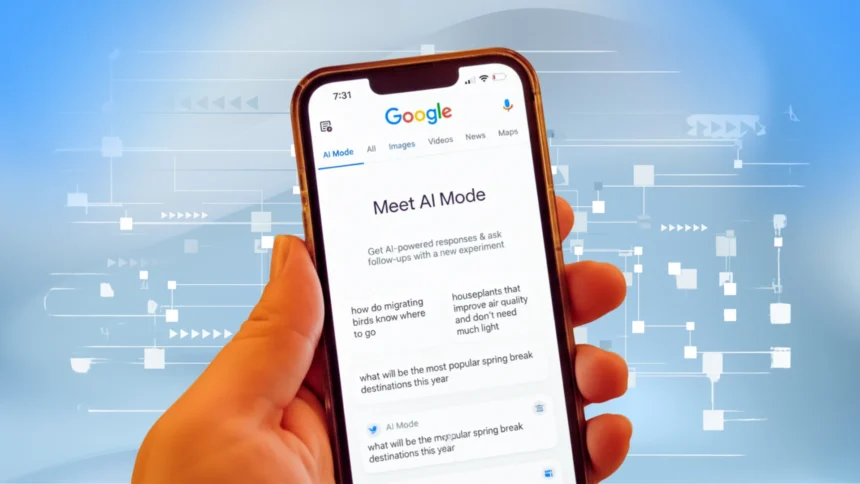

The digital search landscape is evolving at a meteoric pace and the arrival of Google AI Mode marks the biggest shift since the introduction of AI-powered search. As billions worldwide rely on Google for information, the emergence of conversational, agent-powered solutions is transforming both how users find answers and how creators reach audiences.
This article unpacks what Google AI Mode is, how it works, why users are flocking to it and what you should do to maximize your visibility and engagement in this new era, all while optimizing for search, user intent and competitive success.
What is Google AI Mode? The Evolution of Search

Google AI Mode is the company’s latest breakthrough, a conversational search interface powered by Gemini 2.5, delivering answers, summaries, visual content and agent-like actions directly inside Search. Unlike traditional search, AI Mode understands questions through text, voice or even images, then responds with expert answers in a conversational, chat-style format. This multimodal experience is now available worldwide and already serving over 100 million monthly active users with plans to expand into even more countries and languages. For official details, see the Google Blog on AI Mode Features.
How Does Google AI Mode Work? The “Query Fan-Out” Advantage
The heart of Google AI Mode is its query fan-out technology, a system that deconstructs complex user questions into dozens of sub-queries, searches hundreds of top sources and databases and then composes authoritative, context-aware responses. For example, asking “How do I book tickets at Expo 2025?” triggers sub-queries for event details, booking services, user reviews and availability. This means users receive precise answers in seconds, not minutes, with trusted citations and actionable links.
Additionally, Google AI Mode integrates your personal search history, location and app connections (such as Gmail and Maps) tailoring results to your context. This deep personalization streamlines information and decision-making, making each search a custom journey.
Game-Changing Features of Google AI Mode
- Multimodal Input and Instant Answers: AI Mode accepts questions via text, voice and images, making everyday searches simple and powerful. Snap a photo of a product, describe a symptom or dictate a complex query and get instant, relevant answers.
- Agentic Capabilities: Booking and Planning Made Easy: Recent updates enable agentic actions within Google Search: you can now book event tickets, beauty appointments, or reserve a table at a local restaurant, all conversationally and in real time. Planning features let users build study plans or organize sessions with the Canvas sidebar.
- Canvas Sidebar and Google Lens Integration: Organize multiple searches, build “studies,” save research and ask about anything visible on your screen using Google Lens. This enhances productivity and learning, giving users unique tools beyond traditional search.
- Language and Accessibility: AI Mode now supports dozens of new languages, making it accessible to users worldwide, including regions like South Asia, UAE and MENA.
User Experience: Why Google AI Mode Wins
Users love Google AI Mode’s conversational search and follow-up capabilities. You can ask a broad query, dive deeper with automatic suggestions and keep the conversation going. Its answers leverage reputable citations, trustworthy databases, visual summaries, resulting in higher session engagement and satisfaction.
More Read

However, the platform still faces usability challenges, discovery of advanced actions or controlling personalization may require new user skills. As some users report, finding booking features or configuring privacy settings can be less obvious, highlighting the ongoing demand for clear guides and tutorials.
Google AI Mode vs. Traditional Search & Other AI Tools
Google AI Mode goes beyond links, offering context-rich, actionable and personalized answers. In tests, most users report higher engagement and time spent on Google Search compared to legacy systems and even other AI competitors (ChatGPT, Bing Copilot). A comparison table helps clarify:
| Feature | Traditional Search | Google AI Mode | ChatGPT/Bing Copilot |
|---|---|---|---|
| Results Format | Linked List | AI Answer + Links | AI Chat |
| Input Types | Text | Text/Voice/Image | Text/Voice/Docs |
| Personalization | Basic | Deep (App Integration) | Moderate |
| Agent Actions | Limited | Booking, Planning | Some (via plugins) |
Google AI Mode is redefining how people search, plan and get things done online. With agentic capabilities, multimodal input, in-depth answers, powerful personalization, creators and businesses must adapt, crafting content that is comprehensive, engaging and tuned for the way users ask questions today. Ready to experience Google AI Mode firsthand? Try it for your next booking, research or planning session and see the difference.
How do I turn on Google AI Mode?
Available on Chrome via dedicated shortcut or web/app interface. See Google’s support docs.
Can AI Mode book tickets or appointments?
Yes. Ask direct queries; AI Mode will show available options and help you book instantly.
How does AI Mode use personal data?
Integrates Gmail, Maps, and other apps for personalized results. Users retain privacy controls to enable/disable integration.
What is multimodal search and why is it better?
Allows searching with images, voice and documents for more accurate and practical results.